解除解除隐藏文件无法显示问题(Releasing hidden files does not display problems)
解除隐藏文件无法显示问题Releasing hidden files does notdisplay problems
Your estimate is a virus, your machine is not very slow. Andit is particularly slow. The speed began to slow slow. Easilydropped. And restart. If this is rather baffling. You arepoisoned. My head just a few days to kill. Depressed. Antivirussoftware can' t get him.
The first: the first to tell you how to display hidden files.If you are not poisoned. Under windows you can not say. So. Two.The first way to directly solve. DOS is used to solve the point.Start >Run - > cmd-> - > DOS into the state play cd\-> attrib-h -r -s
- this time there will be suggested that pagefiles. sys can'tdisplay correctly, don't ignore him. After returning to thewindows state if no matter what, your file came out. Another,more trouble, how will antivirus introduce it to you.Second: if you do not follow the above method can not get. Orone in the operation, the CMD machine will be restarted. Thatbasically 100 percent poisoning. The following steps canbasically kill the virus
Description: [Users] refers to each user name under
C:\Documents and Settings\, the full text of the same. Somesteps may or may not be skipped.
Step:
1, because the virus modified CMD promoter, safe mode withcommand prompt has no effect, system start, turn off systemrestore, open the Trojan killing off end all with ApplicationData path process.
2, enter the following contents in Notepad (if you haveforbidden the right key, we can create a new one from the file) :Dim WSH
Set wsh=wscript. createobject ("wscript. shell")
Wsh.regwrite
"HKEY_CURRENT_USER\Sof tware\Microsof t\Windows\CurrentVers ion\Policies\WinOldApp\Disabled"", ""
Wsh.regwrite
"HKEY_CURRENT_USER\Sof tware\Microsof t\Windows\CurrentVers ion\Policies\System\DisableRegistryTools", "0""
Wsh.popup (has successfully broken the registry)
Save as 1.vbs or 1.vbe, run this file, and the registry isundone.
3, unlock the registry, repair folder options disappear, unableto show hidden files and extensions, modify the registrydirectly, display systemfiles and hidden files and extensions,use Notepad to write the following content:
Windows Registry Editor Version 5
- 解除解除隐藏文件无法显示问题(Releasing hidden files does not display problems)相关文档
- 删除解除隐藏文件无法显示问题
- 删除彻底清除无法显示隐藏文件的病毒
- 默认值修复隐藏文件无法显示(Fixed hidden file cannot be displayed)
- 文件U盘(硬盘)里面的文件被隐藏无法显示
- 微软解决隐藏文件无法显示及隐藏文件打不开的方法(Solve hidden files can not show and hide the file can not open the method)
- 设为无法显示隐藏文件,不能显示隐藏文件解决方法(The hidden file cannot be displayed. The hidden file solution cannot be displayed)
易探云韩国云服务器仅50元/月,510元/年起
韩国云服务器哪个好?韩国云服务器好用吗?韩国是距离我国很近的一个国家,很多站长用户在考虑国外云服务器时,也会将韩国云服务器列入其中。绝大部分用户都是接触的免备案香港和美国居多,在加上服务器确实不错,所以形成了习惯性依赖。但也有不少用户开始寻找其它的海外免备案云服务器,比如韩国云服务器。下面云服务器网(yuntue.com)就推荐最好用的韩国cn2云服务器,韩国CN2云服务器租用推荐。为什么推荐租用...

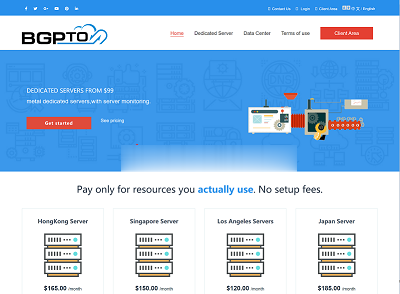
bgpto:独立服务器夏季促销,日本机器6.5折、新加坡7.5折,20M带宽,低至$93/月
bgp.to对日本机房、新加坡机房的独立服务器在搞特价促销,日本独立服务器低至6.5折优惠,新加坡独立服务器低至7.5折优惠,所有优惠都是循环的,终身不涨价。服务器不限制流量,支持升级带宽,免费支持Linux和Windows server中文版(还包括Windows 10). 特色:自动部署,无需人工干预,用户可以在后台自己重装系统、重启、关机等操作!官方网站:https://www.bgp.to...
ReadyDedis:VPS全场5折,1G内存套餐月付2美元起,8个机房可选_服务器安装svn
ReadyDedis是一家2018年成立的国外VPS商家,由印度人开设,主要提供VPS和独立服务器租用等,可选数据中心包括美国洛杉矶、西雅图、亚特兰大、纽约、拉斯维加斯、杰克逊维尔、印度和德国等。目前,商家针对全部VPS主机提供新年5折优惠码,优惠后最低套餐1GB内存每月仅需2美元起,所有VPS均为1Gbps端口不限流量方式。下面列出几款主机配置信息。CPU:1core内存:1GB硬盘:25GB ...

-
lsusbwinrar5stronglyios11供应商iphoneiphonewifi苹果wifi版和4G版是什么意思,有什么区别吗360chromechrome是什么文件夹?是360急速浏览器吗?但是怎么没有卸载掉?google图片搜索谁能教我怎么在手机用google的图片搜索啊!!!chromeframeicharts 怎么支持ie8苹果5.1.1越狱iphone5.1.1越狱老是越狱失败,说要抹掉数据,怎么抹掉数据不懂,接下来该怎么弄 求大神指教bitchinaBTchina和VeryCD是什么意思?这与87.53有什么关系?ios10.0.3苹果10.03系统怎么样