除尘计算机主机除尘·(Computer mainframe dust removal)
计算机主机除尘· Computer mainframe dust removal Computer dust fighting
Just entered in June, the weather in Beijing has been Biao to30+ degrees Celsius, it is intolerable. And while peopleexperience pain, our computers are also suffering from the testof high temperature. Among them, the accumulation of dust inthe chassis has become a potential risk of cooling and evenrunning of the main engine. Today, the editor Yang Zi dedicatedto actual combat computer dust, to help users understand someof the simple skills of computer dust.
What needs to be prepared?
If a worker wishes to do his job well, he must first sharpenhis tools. In case of dust removal, we must first prepare thedust removal tools. Dismantling the chassis screw driver isessential. Followed by brushes and air blowing. If you don'thave the right brush, the worn toothbrush can be used. The airblow can be replaced by an air pump, a blower (a cold airfunction) , an air pump and a vacuum cleaner. Inside, theindividual thinks the air pump is best to use, the pressure isbig, basically need not other tool can clean the case clean,insufficient is the air pump is not easy to find. It is worthmentioning that the inflator is also a very practical tool.Other tools, we can prepare a wet cloth, requiring as much aspossible dry, slightly wet. This will be good for cleaning andeasy to absorb dust. In addition, some grease and the necessarytissue is also essential. (in fact, yangzai does not recommendthat the primary user opens the radiator, re apply grease,
reason to look back. )
A common heat problem in the forums is a large part of the heatdissipation of the chassis
Prepare your tools in advance
What should I pay attention to?
1. , the location of the corridor or outdoor, if you do not wantto clear the computer, and then do a clean-up;
2. dress, choose waste or will be washed clothes. Yang Zi worea freshly washed white T - shirt, and as a result, you know;
3. summer do not worry about static problems, but to preventsweat caused by the motherboard short-circuit;
4. , withmasks, gas blowing dust can not be ignored, life first.
5. make sure you have strong practical skills;
Is everything ready for you? Let' s, go.
Our target
"Yang Zi helps you install machine" series article review:Do not look at the use of Yang son talk about the board, thefive most tasteless design
3. 15 special issue: edit Yang Zi secret Zhongguancun commontrick
You have the right reason, editor Yang Zi talk about themotherboard human nature design
Ten years DIY road editor Yang Zi talk about rookie growthexperience
The cost is only $1. The editor will teach you how to changethe explosive capacitance
Simple, rude and direct, let' s do it together
To cleanup the dust, we first have to disassemble the chassis.DELL brand machine that box to do, really DIY chassis can notbe compared, excellent free screw design absolutely want topraise one. For most compatible users, we also need to use ascrewdriver to open the left panel (Note: the chassis is shownon the right panel, the opposite is true) .
Excellent free screw design
Yang Tsai for everyone to pick the model, chassis standards aredirty enough, the more dirty the better. Look, this workmachinethat has been struggling for four years, is it absolutely dirtyenough?.
The inside is absolutely dirty
The dust inside thebox is mainly concentrated in the air inlet,
air outlet, and fan concentrated area. When we open the case,we clearly see that the air inlet of the front panel of thechassis has been filled with floc and dust.
Here' s a close-up
Knock down all
In order to clean up as much as possible, we need to remove mostof the hardware in our computer. For some entry users, in theprocess of dismantling, you need to record the dismantlingprocess and methods, to avoid the dilemma can not be installed.CPU radiator
As the "heart" of the computer, the processor plays a key rolein the computer, and its heat dissipation is also directlyaffecting the stability of the whole machine. Therefore, wemust focus on the dust removal of the processor radiator. Thepersonal point of view is not to recommend the user todisassemble the radiator. For most radiators, we only need toremove the fan from the radiator and clean up the dust on theradiator.
There' s quite a lot of dust
Perhaps DELL this case of free screw design is too advanced,the front fan Yang Zi did not tear down, forgive Yang' sstupidity. Look at the inside. It' s really dirty. The challengeis coming.
Dangerous wear, please wear mask operation
After years of accumulation, the dust in the computer has beenin"stubborn stains" level, unless the use of high-pressure airpump, want to blow clean, it is not an easy thing. Therefore,the first step in cleaning the computer, we have to clean thedust with abrush, so that the strong dust as loose as possible.Wash, wash
Brush again, and then brush
Remove the dust from the fan, the motherboard, the slot, andwe're going toblow it". First, soot is definitelya"dangerous"action,
Please make sure the mask is worn. Yang did not find masks, todevote to the. Finally, please remind me that you are not inthe bedroom or living room. This is dangerous. Please wear amask.
It' s safer to stay away
Then blow
The front panel has the most dust
Sharing experiences: when blowing ash, blow the mouth away fromthe body, so that you can avoid falling to yourself. The harderthe air blows, the stronger the wind pressure will squeeze outthe stubborn dust, but the more dust it will blow. This
yardstick needs to be grasped by itself. It is worthmentioningthat the pump dust blowing effect is good, users can try. Atthe end of the clean-up, you can buckle the box, beat two times,further cleaning the dust.
It is so simple, the chassis is cleaned up and coming to an endClean up the inside of the case, we have to clean up memory,hard disk, CPU radiator. Cleaning methods are basically thesame, first with a brush to the memory, hard disk surface dustsimple cleaning, and then blow the surface dust floating clean.Clear memory
Poor memory exposure is common in host faults. After cleaningthe memory surface, you can use an eraser to look at the oxidelayer on the memory finger. The rubbing process should not betoo strong to prevent the gold finger from falling off.Hard disk cleanup
Show it. It' s much cleaner before cleaning
The hard disk cleaning process is basically the same, but thehard metal surface can be wiped with a rag, cloth slightly wetc an.
Clean the radiator. If you want it clean, flush it with waterWipe off the processor has solidified grease
The front, yangzai talked about a reason not recommendedradiator user removed is used for a long time, between theprocessor and heatsink grease has been done, you need to reapply grease apart. And for some white students, I don't evenknow that. Yangzai clearly remember, a classmate of my beauty,remove the radiator, feel too dirty, put all the grease out ofthe. One after another is frequent crashes
Erase the radiator on the grease
Since the processor on the grease has been done, then we mustreapply, to ensure that no excessive clearance between theprocessor and the radiator.
Apply grease.
Currently commercially available silicone type more, white,grey and gold, many tricks, the price difference is very far,but after all, for most users, the price of the ordinary silvergrey grease containing a few kind of money is enough.The grease evenly
In many articles, yangzai are mentioned with grease should beevenly, this canbe achievedbyhard disk, or aplastic bagwiththe smudge.
Install it back
How to dismantle it, how to install it back?
Basically cleared (yangzai just made a demonstration, notcompletely clean, do not spray Kazakhstan *^__^*) , the nextstep we need to remove things back, step is not done too muchon display.
Neiwaijianxiu chassis clean end
The main hardware has been cleaned up and we are going to solvethe last heat and vacuum power supply. The need to clean up thepower is that the power has a large capacity of the electrolytecapacitor, and we know that the electrolyte capacitor is veryunstable at high temperatures, which requires the power supplyhas a good heat radiation environment.
Clean the power surface first
The power supply is fixed to the back of the case by four screws,and the power supply can be taken down when the screw is removed.In the first step, we can clean the surface of the power witha cloth.
Blow the air inlet clean
At present, the power supply has three years free warrantyservice, so Yang Zi does not recommend the user to disconnectthe power during the warranty period, which will lose warranty.Users can use the power of the 14cm silent fan to understandthe accumulation of dust in the power supply, while the use ofgas blowing will clean up the interior.
Messy desktops need cleaning
After cleaning up the dust, remember to clean up the workstation and the ground, or you' ll have to work hard for youraunt tomorrow.
Remember to wash your hands, huh?
Appearance needs cleaning, too
After cleaning the inside of the main computer, the cleaningwork outside the cabinet can not be ignored, and pay attentionto the psychological beauty. At the same time, we do not haveto strengthen the external beauty. For dark boxes, take a ragto clean it. For those white already dirty very serious box,users can use the brush rub some soap brush wipe, Yang Zi alwaysdo so, the effect is good, is to pay attention to don't waterinto the inside of the case. Inaddition, there are special foamcleaners available on the market.
The dirtiest isn't the keyboard cleanup Guide
Keyboard, I believe users can not use the computer shortage.And Yang believes too,
Many users have to the keyboard to eat seeds snacking habits,so we often have a keyboard gap melon skin, hair and other junkfood residue and existence, so clean the keyboard is the key,if necessary, once a month to clean up.
Brush keyboard gap
- 除尘计算机主机除尘·(Computer mainframe dust removal)相关文档
- inunderstandingNew mainframe operating system curriculum teaching reform practice
- 灰尘如何清理主机里的灰尘(How to clean the dust in the mainframe)
- 故障电脑主机故障引起的黑屏故障(Black screen failure caused by computer mainframe fault)
- 电脑主机电脑主机(Mainframe computer)
- 板卡如何进行电脑主机除尘及板卡维护(How to carry out computer mainframe dust removal and board maintenance)
- 运行ibm mainframe期末复习
妮妮云(43元/月 ) 香港 8核8G 43元/月 美国 8核8G
妮妮云的来历妮妮云是 789 陈总 张总 三方共同投资建立的网站 本着“良心 便宜 稳定”的初衷 为小白用户避免被坑妮妮云的市场定位妮妮云主要代理市场稳定速度的云服务器产品,避免新手购买云服务器的时候众多商家不知道如何选择,妮妮云就帮你选择好了产品,无需承担购买风险,不用担心出现被跑路 被诈骗的情况。妮妮云的售后保证妮妮云退款 通过于合作商的友好协商,云服务器提供2天内全额退款,超过2天不退款 物...

RepriseHosting:$27.97/月-L5640,16G内存,1TB硬盘,10TB月流量,西雅图机房
RepriseHosting是成立于2012年的国外主机商,提供独立服务器租用和VPS主机等产品,数据中心在美国西雅图和拉斯维加斯机房。商家提供的独立服务器以较低的价格为主,目前针对西雅图机房部分独立服务器提供的优惠仍然有效,除了价格折扣外,还免费升级内存和带宽,商家支持使用支付宝或者PayPal、信用卡等付款方式。配置一 $27.97/月CPU:Intel Xeon L5640内存:16GB(原...

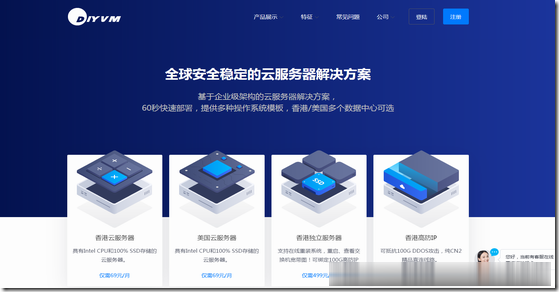
DiyVM:499元/月香港沙田服务器,L5630*2/16G内存/120G SSD硬盘/5M CN2线路
DiyVM是一家成立于2009年的国人主机商,提供的产品包括VPS主机、独立服务器租用等,产品数据中心包括中国香港、日本大阪和美国洛杉矶等,其中VPS主机基于XEN架构,支持异地备份与自定义镜像,VPS和独立服务器均可提供内网IP功能。商家VPS主机均2GB内存起步,三个地区机房可选,使用优惠码后每月69元起;独立服务器开设在香港沙田电信机房,CN2线路,自动化开通上架,最低499元/月起。下面以...
-
participants37Anthemmy支持ipad支持ipad支持ipad敬请参阅报告结尾处免责声明eacceleratorCentOS5.2下安装eAccelerator,怎么都装不上tcpip上的netbiostcpip上的netbios是什么用的,有安全隐患吗?开启还是关上win7关闭135端口如何用命令关闭135端口迅雷雷鸟迅雷会员每日免费抽奖,抽中迅雷的雷鸟披肩了,要钱吗