enterboot.wim
boot.wim 时间:2021-05-24 阅读:()
1RecoveryMediaCreationGuideBasedonActiveBackupforBusiness2.
2.
0TableofContentsIntroduction01AboutRecoveryMediaCreationMethod1:AutomaticallyCreateRecoveryMedia02SummarySystemRequirementsandSupportedMediaTypesCreateUSBRecoveryMediaCreateISORecoveryMediaCancelRecoveryMediaorTroubleshootFailureMethod2:ManuallyCreateRecoveryMedia08SummaryCreateRecoveryMediawiththeWindowsADKPackRecoveryMediaBootRecoveryMedia(ISOImageorUSBDrive)CreateRecoveryMediaforaLinuxDevice21SummaryAppendix22CopyDriversInstallDriversConfigureResolutionConfigureLanguageSettingsAddCertificatetoWinPEImageFindyourinformationSynologypublishesawiderangeofsupportingdocumentation.
InKnowledgeBase,youwillfindusefulHelpandFAQarticles,aswellasvideotutorialsbreakingupprocessesintohandysteps.
InSynologyDocumentation,youcanfindUser'sGuides,SolutionGuides,brochures,andWhitePapers.
ExperiencedusersandadministratorswillfindanswersandguidanceintechnicalAdministrator'sGuidesandDeveloperGuides.
GotaproblemandunabletofindthesolutioninourofficialdocumentationSearchhundredsofanswersbyusersandsupportstaffinSynologyCommunityorreachSynologySupportthroughthewebform,emailortelephone.
01IntroductionAboutRecoveryMediaCreationSynology'sall-in-onebackupsolution,ActiveBackupforBusiness,supportsthebackingupofphysicaldevicesincludingWindowsPCsandWindowsorLinuxservers.
Ifyouwouldliketorestoreanentiredevice,recoverymediacanbecreatedbyusingthissolution.
ForWindowsdevices,therearetwomethodsthatcanbeusedtodothis,dependingonyourdevicesettings.
Forautomaticrecoverymediacreation,thedeviceyouusetocreatethemediamusthaveidenticallanguageandregionsettingstothedeviceyouintendtorestore,aswellasrunthesameWindowsversionanddrivers.
Manualrecoverymediacreationisavailablefor32-bitsystems,aswellasdevicesthatdonotmeettheconditionsforcreatingautomaticrecoverymedia.
ForLinuxdevices,instructionsonhowtocreaterecoverymediawillalsobeprovidedinthisguide.
Thefollowingchaptersprovideastep-by-stepguideonhowtocreaterecoverymediaforyourdevice.
Introduction02Method1:AutomaticallyCreateRecoveryMediaSummarySynologyActiveBackupforBusinessRecoveryMediaCreatorisadesktoptoolthatcanbeusedwithActiveBackupforBusiness.
Thistoolisdesignedforadministratorstocreaterecoverymediaforbare-metalorvolume-levelrestores.
Administratorscanusethistoolifthedeviceintendedtocreatetherecoverymediaisrunninga64-bitversionofWindowsandhasthesamelanguageandregionsettings,aswellasthesameWindowsversionsanddriversasthedeviceintendedtoberestored.
Ifthedeviceintendedtoberestoreddoesnotmeettheseconditions,refertoMethod2:ManuallyCreateRecoveryMediaformoredetails.
VisittheSynologyDownloadCentertodownloadthistoolanduseittocreaterecoverymediaifallofthedefaultsettingsdonotneedtobechangedandnofurthercustomizationisnecessary.
SynologyActiveBackupforBusinessRecoveryWizarddoesnotneedtobeadditionallyinstalledasitisembeddedintheSynologyActiveBackupforBusinessRecoveryMediaCreator.
Thefollowingsectionswillguideyouthroughhowtousethistool.
SystemRequirementsandSupportedMediaTypesSystemRequirementsWindows7(alleditions)Windows10(alleditions)WindowsServer2008R2SP1SupportedMediaTypesAUSBdrive:Requiredcapacity:1GBRequiredlocalsystemvolumestoragecapacityfortemporaryfiles:2.
5GBSupportedrecoverymodel:UEFI64-bitAnISOimage:Requiredcapacity:1GBRequiredlocalsystemvolumestoragecapacityfortemporaryfiles:2.
5GBSupportedrecoverymodel:Legacy/UEFI64-bitMethod1:AutomaticallyCreateRecoveryMedia03Method1:AutomaticallyCreateRecoveryMediaCreateUSBRecoveryMedia1.
InsertaUSBdrivewithatleast1GBcapacity.
2.
LaunchSynologyActiveBackupforBusinessRecoveryMediaCreatorandselectUSBmedia.
WindowsADKInstallationApop-upnotificationwillappearifnoWindowsAssessmentandDeploymentKit(WindowsADK)isdetected.
ClickDownloadandthewizardwillguideyouthroughtheWindowsADKinstallationprocess.
DeploymentToolsandWindowsPreinstallationEnvironment(WindowsPE)mustbeinstalledtobuildrecoverymedia(seetheimageonthenextpage).
InstallingWindowsADKmaytakeafewminutes.
IfyouwanttodownloadtheWindowsADKinadvance,werecommenddownloadingversion1803.
Notes:StartingwithWindows10(version1809),WindowsPreinstallationEnvironment(WindowsPE)isreleasedseparatelyfromWindowsADK.
Tocreaterecoverymedia,boththeWindowsADKandWinPEpacksneedtobedownloadedandinstalled.
Formoreinformation,pleaserefertoMicrosoft'sarticle,CreatebootableWinPEmedia.
InternetconnectionmustbeavailablewhendownloadingandinstallingWindowsADK.
IfyoucannotusetheonlineADKinstaller,refertoMicrosoft'sarticle,InstalltheWindowsADKoffline.
WinPEforWindows10(version1803)issuggestedforthedownloadandinstallationthroughtheWindowsADK.
Tocheckitscompatibilitywithyourdevice,youcanrefertoMicrosoft'sarticle,What'sNewinWindowsPE.
04Method1:AutomaticallyCreateRecoveryMediaSelecttheTargetUSBDriveAllofthedetectedUSBdriveswillbelistedinthedrop-downmenuonSynologyActiveBackupforBusinessRecoveryMediaCreator.
PleaseselectatargetUSBdriveandthenclickCreatetostarttheautomatedrecoverymediaprocess.
ThisactioncannotbeundoneoncethecreationprocessofUSBmediahasstarted.
TimeZoneandLanguageSynologyActiveBackupforBusinessRecoveryMediaCreatorautomaticallydetectsandappliesthelocaltimezoneandlanguagetothecreatedrecoverymedia.
Thedefaultsettingswillbeappliedifthelocaltimezoneandlanguagecannotbedetected.
ThedefaulttimezoneisPacificStandardTime(PST),andthedefaultlanguageisEnglish.
TimezonesettingsmayaffectthebackuptimeoftherecoverymediaversionshownintheSynologyActiveBackupforBusinessRecoveryWizard.
05Method1:AutomaticallyCreateRecoveryMediaBootRecoveryMedia1.
Afterrecoverymediahasbeencreated,amessagewillappearontheprogressbaratthebottomofthetool.
2.
ClickFinishtoopenthedirectoryforstoringtheISOimage.
Youcaneithermounttheimageontothevirtualmachineintendedforrestoration,orburntheimageontoadiskbyusingathird-partytoolandinsertthediskintothedevicethatyouwanttorestore.
3.
RebootthedeviceandpressF2toentertheBIOSmode.
Thishotkeymayvaryaccordingtodifferentvendors.
4.
NavigatetotheBoottabandprioritizetheorderofRemovableDevices(forUSB).
5.
ExitthesetupprocessandyouwillbedirectedtoSynologyActiveBackupforBusinessRecoveryWizard,whichwillstarttherecoveryprocessautomatically.
Note:SynologyActiveBackupforBusinessRecoveryWizarddoesnotneedtobeadditionallyinstalledasitisembeddedinSynologyActiveBackupforBusinessRecoveryMediaCreator.
CreateISORecoveryMediaSystemvolumeofatleast2.
5GBisrequiredforcreatingrecoverymediainISOformatbecausecreatinganISOimageitselfwilloccupy1GB,andthetemporaryfileswilloccupytheremaining1.
5GB.
Afterward,launchSynologyActiveBackupforBusinessRecoveryMediaCreatorandselectISOmedia.
06Method1:AutomaticallyCreateRecoveryMediaWindowsADKInstallationApop-upnotificationwillappearifnoWindowsAssessmentandDeploymentKit(WindowsADK)isdetected.
ClickDownloadandthewizardwillguideyouthroughtheWindowsADKinstallationprocess.
DeploymentToolsandWindowsPreinstallationEnvironment(WindowsPE)mustbeinstalledtobuildrecoverymedia.
InstallingWindowsADKmaytakeafewminutes.
IfyouwanttodownloadtheWindowsADKinadvance,werecommenddownloadingversion1803.
Notes:StartingwithWindows10(version1809),WindowsPreinstallationEnvironment(WindowsPE)isreleasedseparatelyfromWindowsADK.
Tocreaterecoverymedia,boththeWindowsADKandWinPEpacksneedtobedownloadedandinstalled.
Formoreinformation,pleaserefertoMicrosoft'sarticle,CreatebootableWinPEmedia.
InternetconnectionmustbeavailablewhendownloadingandinstallingWindowsADK.
IfyoucannotusetheonlineADKinstaller,refertoMicrosoft'sarticleInstalltheWindowsADKoffline.
WinPEforWindows10(version1803)issuggestedforthedownloadandinstallationthroughtheWindowsADK.
Tocheckitscompatibilitywithyourdevice,youcanrefertoMicrosoft'sarticleWhat'sNewinWindowsPE.
07Method1:AutomaticallyCreateRecoveryMediaSpecifytheISOImagePathTocreateISOmedia,pleasedefinethedirectoryforstoringtherecoverymediaonceitisreadyinISOformat.
Clicktobrowseandselectthetargetdirectory.
TimeZoneandLanguageSynologyActiveBackupforBusinessRecoveryMediaCreatorautomaticallydetectsandappliesthelocaltimezoneandlanguagetothecreatedrecoverymedia.
Thedefaultsettingswillbeappliedifthelocaltimezoneandlanguagecannotbedetected.
ThedefaulttimezoneisPacificStandardTime(PST),andthedefaultlanguageisEnglish.
TimezonesettingsmayaffectthebackuptimeoftherecoverymediaversionshowninSynologyActiveBackupforBusinessRecoveryWizard.
BootRecoveryMedia1.
Afterrecoverymediahasbeencreated,amessagewillappearontheprogressbaratthebottomofthetool.
2.
ClickFinishtoopenthedirectoryforstoringtheISOimage.
Youcaneithermounttheimageontothevirtualmachineintendedforrestoration,orburntheimageontoadiskbyusingathird-partytoolandinsertthediskintothedevicethatyouwanttorestore.
3.
RebootthedeviceandpressF2toentertheBIOSmode.
Thishotkeymayvaryaccordingtodifferentvendors.
4.
NavigatetotheBoottabandprioritizetheorderofCD-ROMDrive.
5.
ExitthesetupprocessandyouwillbedirectedtoSynologyActiveBackupforBusinessRecoveryWizard,whichwillstarttherecoveryprocessautomatically.
Note:SynologyActiveBackupforBusinessRecoveryWizarddoesnotneedtobeadditionallyinstalledasitisembeddedinSynologyActiveBackupforBusinessRecoveryMediaCreator.
CancelRecoveryMediaorTroubleshootFailureTocancelarecoverymediacreationthatisinprogress,closetheapplicationinterface.
Thecancellationprocessmaytakesometimebecauseofthetimeneededtounmountthemountedfilesanddeletetheunfinishedpack.
Ifthecreationprocessfailsatacertainstage,SynologyActiveBackupforBusinessRecoveryMediaCreatorwillautomaticallyfinishthecurrentstage,andthenunmountanddeleteboot.
wim.
RecoverymediacreatedinUSBformatcannotberolledbackoncethecreationprocesshasbegun.
Ifrecoverymediacreationfailsduringthecreationprocess,pleaseopentheextractedfoldernamedSynologyRestoreMediaCreatorandfetchthelogtitledrestore-media.
log.
SendthelogtoSynologyTechnicalSupportforfurtherassistance.
08Method2:ManuallyCreateRecoveryMediaSummaryManualrecoverymediacreationisthealternativemethodinthecasethatthedeviceintendedtocreatetherecoverymediaisrunninga32-bitversionofWindows,hasdifferentlanguageandregionsettings,orhasdifferentWindowsversionsanddriversthanthedeviceintendedtorestore.
Thefollowingsectionsguideyouthroughhowtocreaterecoverymediamanually.
SystemRequirementsandLimitationsPrerequisiteEnvironmentTomanuallycreaterecoverymedia,aWindows7orabovebuildingenvironmentwithInternetconnectionisrequired.
TheRAMonthetargetdevicemustbelargerthan512MB.
Beforecustomizingtherecoverymedia,aCD/DVDrewritabledriveoraflashdrivemustbeattachedtothedevice.
PE-basedRecoveryMediaPE-basedrecoverymediacontainsWindowsPre-installationEnvironment(WinPE),whichisasmallWindowsoperatingsystemforinstalling,deploying,andrepairingtheWindowsoperatingsystemofdesktopsandserversthathavecrashedorareunbootable.
TherecoverymediaalsocontainsSynologyActiveBackupforBusinessRecoveryWizard,whichallowsyoutorestoreyourdevicetothepre-installationenvironment.
ToobtaintheWindowsPE,pleasedownloadandinstalltheWindowsAssessmentandDeploymentKit(WindowsADK)fromMicrosoftWindows.
PleaserefertothesectionDownloadandInstalltheWindowsADKformoreinformation.
Method2:ManuallyCreateRecoveryMedia09Method2:ManuallyCreateRecoveryMediaNotes:RecoverymediabasedonWinPE3.
0oraboveenablesdynamicloadingofthenecessarydevicedrivers.
WerecommendyoutouseWinPEforWindows10,whichsupportsbetterhardwarecompatibilityandrequireslesseffortwhencopyingandinstallingdrivers.
FormoreinformationonthecompatibilityofeachWinPEversion,pleaserefertoMicrosoft'sarticleWhat'sNewinWindowsPEformoreinformation.
Recoverymediacanbebuilteitherforx86orx64architecture.
Anx86-supportedrecoverymediaisrequiredforanx86architecturedevice.
The32-bitversionofWindowsPEcanboot32-bitUnifiedExtensibleFirmwareInterface(UEFI),BIOSPCs,and64-bitBIOSPCs.
The64-bitversionofWindowsPEcanboot64-bitUnifiedExtensibleFirmwareInterface(UEFI),BIOSPCs,and64-bitBIOSPCs.
FormoreinformationonthepartitionstylewhensettingupWindows,pleaserefertothearticlebyMicrosoft,WindowsSetup:InstallingusingtheMBRorGPTpartitionstyle.
InternetconnectionmustbeavailablewhendownloadingandinstallingWindowsADK.
IfyoucannotusetheonlineADKinstallerwithGUI,pleaserefertotheMicrosoft'article,InstalltheWindowsADKoffline,formoreinformation.
AdministrativePermissionsTheentireprocessofcreatingrecoverymediarequiresuserswithlocaladministrativepermissionstousethecommand-lineinterface(CLI).
Right-clickontheCLIiconandchooseRunasadministratortobegin.
CreateRecoveryMediawiththeWindowsADKDownloadandInstalltheWindowsADKWhencreatingrecoverymedia,werecommenddownloadingandinstallingWindowsADKversion1803DeploymentToolsandWindowsPreinstallationEnvironment(WindowsPE)arealsorequiredforbuildingrecoverymedia(seetheimagebelow).
InstallingWindowsADKmaytakeafewminutes.
10Method2:ManuallyCreateRecoveryMediaNotes:StartingwithWindows10(version1809),WindowsPreinstallationEnvironment(WindowsPE)isreleasedseparatelyfromtheWindowsADK.
Tocreaterecoverymedia,boththeWindowsADKandWinPEpacksneedtobedownloadedandinstalled.
Formoreinformation,pleaserefertoMicrosoft'sarticle,CreatebootableWinPEmedia.
AnInternetconnectionmustbeavailablewhendownloadingandinstallingtheWindowsADK.
IfyoucannotusetheonlineADKinstaller,refertoMicrosoft'sarticleInstalltheWindowsADKoffline.
WinPEforWindows10(version1803)istherecommendedversiontobedownloadedandinstalledthroughtheWindowsADK.
Tocheckitscompatibilitywithyourdevice,youcanrefertoMicrosoft'sarticle,What'sNewinWindowsPE.
CopyRequiredBootFilestoWinPE1.
Right-clicktheCLIiconandselectRunasadministratortobegin.
2.
Changethefiledirectorybythecommandinthisstep.
Forexample,ifthepathoftheinstalledWindowsADKisC:\ProgramFiles(x86)\WindowsKits\10,thecommandwillbe:cd"C:\ProgramFiles(x86)\WindowsKits\10\AssessmentandDeploymentKit\DeploymentTools"3.
Enterthefollowingcommandtorunthe.
batfilethatwillreadalltheenvironmentvariablesrequiredforcreatingrecoverymedia:DandISetEnv.
bat11Method2:ManuallyCreateRecoveryMedia4.
CopyWinPEtothisdesignatedpath.
Here,weusethepathC:\winpeforexample,displayedbelow:copype.
cmdamd64C:\winpePleasenotethatamd64willbuildthemediarequiredforthe64-bitWinPE.
amd64isusedastheexampleherebecauseitisthemainstreamhardwarearchitecture.
Ifyouwanttocreaterecoverymediafora32-bitdevice,theamd64intheexamplecommandshouldbechangedtox86.
MountandConfigure"boot.
wim"Thefileboot.
wimworksastheoperatingsystemforWinPE.
ItneedstobemountedbeforecopyingthenecessaryconfigurationsandSynologyActiveBackupforBusinessRecoveryWizard.
Thecommandformountingboot.
wimisshownbelow:Dism.
exe/Mount-Wim/WimFile:"C:\winpe\media\sources\boot.
wim"/index:1/MountDir:"C:\winpe\mount"Note:IfcertainhardwarerequireaspecificdriverthatisnotsupportedbyWinPE,thedriverneedstobecopiedorincludedinthemediaduringthecreationprocess.
RefertoCopyDriversandInstallDriversformoreinformation.
DownloadSynologyActiveBackupforBusinessRecoveryWizardThelatestversionofSynologyActiveBackupforBusinessRecoveryWizardcanbedownloadedfromtheDownloadCenter.
Pleasedownloadthe64-bitzipfileifyouhadenteredamd64,anddownload32-bitzipfileifyouhadenteredx86.
WerecommendthatyoucreateaseparatefolderonyourharddiskandnameitActiveBackup,sothepathwouldbe:C:\winpe\mount\ActiveBackup.
Afterwards,extracttherecoverywizardtothisdirectory.
SettheTimeZoneTimezonesettingscanbeconfiguredatthisstage,andmayaffectthebackuptimeoftherecoverymediaversionshowninSynologyActiveBackupforBusinessRecoveryWizard.
Youcanchangethetimezonewithinthequotationmarksaccordingtoyourneeds.
PleasecheckthetimezonenamesonthelistfromMicrosoft,DefaultTimeZones.
//SetthetimezonetoyourlocaltimezoneDism.
exe/Image:"C:\winpe\mount"/Set-TimeZone:"TaipeiStandardTime"12Method2:ManuallyCreateRecoveryMediaConfigure"winpeshl.
ini"AfterWinPEhasbeeninitiated,theexecutablefile,winpeshl.
exe,willrunautomatically.
winpeshl.
exewillreadthewinpeshl.
inifile.
ThepurposeofthisfileistoinitializethenetworkenvironmentonceyourdevicehasenteredtheWinPEenvironmentandActiveBackupRecoveryWizardhasbeenlaunched.
Youcancreatethisfilebycopyingthefollowingcontentandpastingitintoyournotepad.
Savethefileaswinpeshl.
iniandmoveittothedirectoryC:\winpe\mount\Windows\system32.
[LaunchApps]%systemroot%\System32\wpeinit.
exe%systemdrive%\ActiveBackup\ui\recovery.
exeNote:Ifresolutionandlanguageconfigurationsarerequired,pleaserefertotheConfigureResolutionandConfigureLanguageSettingssectionsformoreinformation.
Unmount"boot.
wim"Everyadjustmentmadetoboot.
wimneedstobecommittedtobecomeeffective.
Ifalloftheconfigurationsarereadyandexpectedtobeeffective,theparameter/COMMITisrequired:Dism.
exe/Unmount-Wim/MountDir:"C:\winpe\mount"/COMMITPackRecoveryMediaPackRecoveryMediaintoanISOImageTurningthemediaintoanISOimageallowsyoutorestoreitdirectlyonVMorburntheISOimagetoCD/DVDorflashdrivewithathird-partytoolforfuturerecovery.
EnterthecommandbelowtopackyourcustomizedmediaintoanISOimage:MakeWinPEMedia/ISOC:\winpeC:\winpe\custom_pe_amd64.
isoPackRecoveryMediaintoaUSBDrive1.
InsertyourUSBDriveintoyourPC.
2.
IdentifywhetherthepartitiontablepertainstoMBRorGPT:UEFI-basedPCsupportsbothUEFI(GPT)andlegacy(MBR)BIOSmodes.
ForLegacyBIOSmode,WindowsPEneedstobebootedintheMBRmodeinordertocorrectlyinstallWindows.
RefertoMicrosoft'sarticle,BootinUEFIorlegacyBIOSmode,formoreinformation.
13Method2:ManuallyCreateRecoveryMedia3.
Enterthefollowingcommandsinsequenceaccordingtoyourpartitiontabletype.
Pleasenotethatthecommandsinboldshouldbechangedaccordingtoyourneeds.
GPTStepDescriptionCommand1.
Launchthediskpartitiontooldiskpart2.
Listallthedisksonthedevicelistdisk3.
Selectwhichdiskneedstobecleanedinthenextstepselectdisk24.
Cleanallthedatafromthepreviouslyselecteddiskclean5.
ConvertthepartitiontabletoGPTconvertgpt6.
Createtheprimarypartitioncreatepartitionprimary7.
Selectthefirstpartitionselectpartition18.
FormattheUSB'sfilesystemtoFAT32andnametheUSBformatquickfs=fat32label="WinPE"9.
AssignthedriveletterfortheUSBassignletter="S"10.
Specifythatthepartitionisrequiredbythedevice,andpreventassigningdriveletterautomaticallyonanotherdevicegptattributes=0x800000000000000111.
ExitexitMBRStepDescriptionCommand1.
Launchthediskpartitiontooldiskpart2.
Listallthedisksonthedevicelistdisk3.
Selectwhichdiskneedstobecleanedinthenextstepselectdisk24.
Cleanallthedatafromthepreviouslyselecteddiskclean5.
ConvertthepartitiontabletoMBRconvertmbr6.
Createtheprimarypartitioncreatepartitionprimary7.
Selectthefirstpartitionselectpartition18.
Activatethepartitiontobeformattedactive9.
FormattheUSB'sfilesystemtoFAT32andnametheUSBformatquickfs=ntfslabel="WinPE"10.
AssignthedriveletterfortheUSBassignletter="S"11.
Exitexit14Method2:ManuallyCreateRecoveryMediaNote:Thecommandinboldshouldbechangedaccordingtoyourneeds.
Forexample,"selectdisk2"shouldbechangedtothecorrespondingdisknumberforyourmedia.
4.
EnterthecommandbelowtocopythecustomizedWinPEfiletotheUSBdrive.
Pleasenotethattheunderlinedcommandshouldbechangedaccordingtoyourrequirement.
Forexample,theSinthesamplecommandcouldbechangedtoyourassignedletter.
xcopy.
exec:\winpe\media/E/FS:\PrebooteXecutionEnvironment(PXE)onSynologyNASforDSM6.
2(MBRonly)PrebooteXecutionEnvironment(PXE)supportsbootingWinPEloadedfromPXEserverviaInternetconnection.
YouneedtoconfigureaDHCP,PXE,andTFTPservertosetyourSynologyNASasaPXEserver.
ThissectionguidesyouthroughconfiguringDHCP,PXE,andTFTPonyourSynologyNAS.
1.
Createasharedfoldernamed"PXE"onyourNAS.
Then,gotoDSM>ControlPanel>FileServices>SMB/AFP/NFSandticktheEnableSMBservicecheckbox.
2.
GotoMyNetworkPlacesonyourcomputer,enterthesharedfolderPXE,andcreateaBootfolderunderit.
netusey:\\Your-Remote-NAS\PXEy:mdBoot3.
Mountandcustomizeboot.
wim.
Dism.
exe/Mount-Wim/WimFile:"C:\winpe\media\sources\boot.
wim"/index:1/MountDir:"C:\winpe\mount"4.
CopythePXEbootfiletothenewlycreatedBootfolder.
copyC:\winpe\mount\windows\Boot\pxe\*.
*y:\Boot5.
Copyboot.
sditothesameBootfolder.
copyC:\winpe\media\Boot\boot.
sdiy:\Boot6.
CopythebootableWinPEimagetothesameBootfolder.
copyC:\winpe\media\sources\boot.
wimy:\Boot7.
CopytheTrueTypefonttotheBootfolder(optional).
mdy:\Boot\FontscopyC:\winpe\media\Boot\Fonts\*.
*y:\Boot\Fonts15Method2:ManuallyCreateRecoveryMedia8.
CreateaBCDfileasanadministratorbyusingthecommandlineinterface(CLI)andenteringthecommandsbelow.
//Usebcdedit.
exetocreatespaceforBCD:bcdedit/createstorec:\BCD//ConfiguretheRAMDISK:bcdedit/storec:\BCD/create{ramdiskoptions}/d"Ramdiskoptions"bcdedit/storec:\BCD/set{ramdiskoptions}ramdisksdidevicebootbcdedit/storec:\BCD/set{ramdiskoptions}ramdisksdipath\Boot\boot.
sdibcdedit/storec:\BCD/create/d"winpebootimage"/applicationosloader//ThelastcommandwillreturnaGUID,forexample://Theentry{a4f89c62-2142-11e6-80b6-00155da04110}wassuccessfullycreated.
//CopythereturnedGUIDtouseitinthenextcommand.
Substitute'GUID1'withthecopiedGUIDinthecommandsbelow://CreateanewbootrecordfortheWindowsPEimage:bcdedit/storec:\BCD/set{GUID1}deviceramdisk=[boot]\Boot\boot.
wim,{ramdiskoptions}bcdedit/storec:\BCD/set{GUID1}path\windows\system32\winload.
exebcdedit/storec:\BCD/set{GUID1}osdeviceramdisk=[boot]\Boot\boot.
wim,{ramdiskoptions}bcdedit/storec:\BCD/set{GUID1}systemroot\windowsbcdedit/storec:\BCD/set{GUID1}detecthalYesbcdedit/storec:\BCD/set{GUID1}winpeYes//ConfigureBOOTMGR,substituting'GUID1'withthecopiedGUID:bcdedit/storec:\BCD/create{bootmgr}/d"bootmanager"bcdedit/storec:\BCD/set{bootmgr}timeout30bcdedit/storec:\BCD-displayorder{GUID1}-addlast//CopythisBCDfiletothesharedfolder"Boot"copyc:\BCDy:\Boot\BCD9.
Copybootmgr.
exeandpxeboot.
n12toy:.
copyy:\Boot\bootmgr.
exey:\bootmgr.
execopyy:\Boot\pxeboot.
n12y:\pxeboot.
n1210.
Unmount"boot.
wim"whendone.
Dism.
exe/Unmount-Wim/MountDir:"C:\winpe\mount"/COMMIT11.
SignintoyourDSM,gotoControlPanel>FileServices,andtickEnableTFTPservice.
SelectthePXEsharedfolderastheTFTProotfolder.
12.
EnableDHCPserverfromControlPanel>DHCPServer>NetworkInterface.
16Method2:ManuallyCreateRecoveryMedia13.
EnablePXEfromControlPanel>DHCPServer>PXEandconfigurethebootloader.
Selectbootx64.
efiandclickOK.
14.
Whenyouarerestoringthedevice,entertheBIOSSetupUtilitytochangetheBIOSbootsequence.
PrioritizeNetworkinthebootorder.
Bydoingthis,youwillbeabletoenterWinPEviaPXE.
PrebooteXecutionEnvironment(PXE)onSynologyNASforDSM7.
0(UEFIandMBR)PrebooteXecutionEnvironment(PXE)supportsbootingWinPEloadedfromPXEserverviaInternetconnection.
YouneedtoconfigureaDHCP,PXE,andTFTPservertosetyourSynologyNASasaPXEserver.
ThissectionguidesyouthroughconfiguringDHCP,PXE,andTFTPonyourSynologyNAS.
UEFI1.
Createasharedfoldernamed"PXE"onyourNASandthendownloadSMBServicefromthePackageCenter.
GotoDSM>ControlPanel>FileServices>SMBandticktheEnableSMBservicecheckbox.
2.
GotoMyNetworkPlacesonyourcomputer,enterthesharedfolderPXE,andcreateaBootfolderunderit.
netusey:\\Your-Remote-NAS\PXEy:mdBoot3.
Mountandcustomizeboot.
wim.
Dism.
exe/Mount-Wim/WimFile:"C:\winpe\media\sources\boot.
wim"/index:1/MountDir:"C:\winpe\mount"4.
Copyboot.
sditothesameBootfolder.
copyC:\winpe\media\Boot\boot.
sdiy:\Boot5.
CopythebootableWinPEimagetothesameBootfolder.
copyC:\winpe\media\sources\boot.
wimy:\Boot6.
CopytheTrueTypefonttotheBootfolder(optional).
mdEFI\Microsoft\Boot\FontscopyC:\winpe\media\Boot\Fonts\*.
*y:\EFI\Microsoft\Boot\Fonts17Method2:ManuallyCreateRecoveryMedia7.
CreateaBCDfileasanadministratorbyusingthecommandlineinterface(CLI)andenteringthecommandsbelow.
//CreatestorageforBCDwithbcdedit.
exe:bcdedit/createstorec:\BCD//ConfiguretheRAMDISK:bcdedit/storec:\BCD/create{ramdiskoptions}/d"Ramdiskoptions"bcdedit/storec:\BCD/set{ramdiskoptions}ramdisksdidevicebootbcdedit/storec:\BCD/set{ramdiskoptions}ramdisksdipath\Boot\boot.
sdibcdedit/storec:\BCD/create/d"winpebootimage"/applicationosloader//ThelastcommandwillreturnaGUID,forexample://Theentry{a4f89c62-2142-11e6-80b6-00155da04110}wassuccessfullycreated.
//CopythereturnedGUIDtouseitinthenextcommand.
Substitute'GUID1'withthecopiedGUIDinthecommandsbelow://CreateanewbootrecordfortheWindowsPEimage:bcdedit/storec:\BCD/set{GUID1}deviceramdisk=[boot]\Boot\boot.
wim,{ramdiskoptions}bcdedit/storec:\BCD/set{GUID1}path\windows\system32\winload.
efibcdedit/storec:\BCD/set{GUID1}osdeviceramdisk=[boot]\Boot\boot.
wim,{ramdiskoptions}bcdedit/storec:\BCD/set{GUID1}systemroot\windowsbcdedit/storec:\BCD/set{GUID1}detecthalYesbcdedit/storec:\BCD/set{GUID1}winpeYes//ConfigureBOOTMGR,substituting'GUID1'withthecopiedGUID:bcdedit/storec:\BCD/create{bootmgr}/d"bootmanager"bcdedit/storec:\BCD/set{bootmgr}timeout30bcdedit/storec:\BCD-displayorder{GUID1}-addlast//CopytheBCDfiletotheBootsharedfoldercopyc:\BCDy:\Boot\BCD8.
Copybootx64.
efitoy:.
copyc:\winpe\media\EFI\Boot\bootx64.
efiy:\bootx64.
efi9.
Unmount"boot.
wim"whendone.
Dism.
exe/Unmount-Wim/MountDir:"C:\winpe\mount"/COMMIT10.
SignintoyourDSM,gotoControlPanel>FileServices>Advanced>TFTP,andticktheEnableTFTPservicecheckbox.
SelectthePXEsharedfolderastheTFTProotfolder.
11.
InstallDHCPServerfromthePackageCenter.
GotoDHCPServer>NetworkInterfacetoenabletheDHCPserver.
18Method2:ManuallyCreateRecoveryMedia12.
OpenDHCPServerandgotothePXEpage.
ChooseLocalTFTPserverandselectbootx64.
efiasthebootloader.
13.
Whenyouarerestoringthedevice,entertheBIOSSetupUtilitytochangetheBIOSbootsequence.
PrioritizeNetworkinthebootorder.
Bydoingthis,youwillbeabletoenterWinPEviaPXE.
MBR1.
Createasharedfoldernamed"PXE"onyourNASandthendownloadSMBServicefromthePackageCenter.
GotoDSM>ControlPanel>FileServices>SMBandticktheEnableSMBservicecheckbox.
2.
GotoMyNetworkPlacesonyourcomputer,enterthesharedfolderPXE,andcreateaBootfolderunderit.
netusey:\\Your-Remote-NAS\PXEy:mdBoot3.
Mountandcustomizeboot.
wim.
Dism.
exe/Mount-Wim/WimFile:"C:\winpe\media\sources\boot.
wim"/index:1/MountDir:"C:\winpe\mount"4.
CopythePXEbootfiletothenewlycreatedBootfolder.
copyC:\winpe\mount\windows\Boot\pxe\*.
*y:\Boot5.
Copyboot.
sditothesameBootfolder.
copyC:\winpe\media\Boot\boot.
sdiy:\Boot19Method2:ManuallyCreateRecoveryMedia6.
CopythebootableWinPEimagetothesameBootfolder.
copyC:\winpe\media\sources\boot.
wimy:\Boot7.
CopytheTrueTypefonttotheBootfolder(optional).
mdy:\Boot\FontscopyC:\winpe\media\Boot\Fonts\*.
*y:\Boot\Fonts8.
CreateaBCDfileasanadministratorbyusingthecommandlineinterface(CLI)andenteringthecommandsbelow.
//Usebcdedit.
exetocreatespaceforBCD:bcdedit/createstorec:\BCD//ConfiguretheRAMDISK:bcdedit/storec:\BCD/create{ramdiskoptions}/d"Ramdiskoptions"bcdedit/storec:\BCD/set{ramdiskoptions}ramdisksdidevicebootbcdedit/storec:\BCD/set{ramdiskoptions}ramdisksdipath\Boot\boot.
sdibcdedit/storec:\BCD/create/d"winpebootimage"/applicationosloader//ThelastcommandwillreturnaGUID,forexample://Theentry{a4f89c62-2142-11e6-80b6-00155da04110}wassuccessfullycreated.
//CopythereturnedGUIDtouseitinthenextcommand.
Substitute'GUID1'withthecopiedGUIDinthecommandsbelow://CreateanewbootrecordfortheWindowsPEimage:bcdedit/storec:\BCD/set{GUID1}deviceramdisk=[boot]\Boot\boot.
wim,{ramdiskoptions}bcdedit/storec:\BCD/set{GUID1}path\windows\system32\winload.
exebcdedit/storec:\BCD/set{GUID1}osdeviceramdisk=[boot]\Boot\boot.
wim,{ramdiskoptions}bcdedit/storec:\BCD/set{GUID1}systemroot\windowsbcdedit/storec:\BCD/set{GUID1}detecthalYesbcdedit/storec:\BCD/set{GUID1}winpeYes//ConfiguretheBOOTMGR,substituting'GUID1'withthecopiedGUID:bcdedit/storec:\BCD/create{bootmgr}/d"bootmanager"bcdedit/storec:\BCD/set{bootmgr}timeout30bcdedit/storec:\BCD-displayorder{GUID1}-addlast//CopythisBCDfiletothesharedfolder"Boot"copyc:\BCDy:\Boot\BCD9.
Copybootmgr.
exeandpxeboot.
n12toy:.
copyy:\Boot\bootmgr.
exey:\bootmgr.
execopyy:\Boot\pxeboot.
n12y:\pxeboot.
n1220Method2:ManuallyCreateRecoveryMedia10.
Unmount"boot.
wim"whendone.
Dism.
exe/Unmount-Wim/MountDir:"C:\winpe\mount"/COMMIT11.
SignintoyourDSM,gotoControlPanel>FileServices>Advanced>TFTP,andticktheEnableTFTPservicecheckbox.
SelectthePXEsharedfolderastheTFTProotfolder.
12.
InstallaDHCPServerfromthePackageCenter.
ToenabletheDHCPserver,gotoDHCPServer>NetworkInterface.
13.
OpenDHCPServerandgotothePXEpage.
ChooseLocalTFTPserverandselectbootx64.
efiasthebootloader.
14.
Whenyouarerestoringthedevice,entertheBIOSSetupUtilitytochangetheBIOSbootsequence.
PrioritizeNetworkinthebootorder.
Bydoingthis,youwillbeabletoenterWinPEviaPXE.
BootRecoveryMedia(ISOImageorUSBDrive)AfteryouhavemountedtheISOimageorattachedtheUSBdrivetothedeviceintendedforrestoration,pressF2toentertheBIOSmodeonceyourdevicehasbeenrebooted.
Pleasenotethatthishotkeymayvaryaccordingtodifferentvendors.
Afterwards,navigatetotheBoottab,andprioritizetheorderofCD-ROMDriveandRemovableDevicesaccordingtowheretherecoverymediaislocated.
ExitthesetupprocessandyouwillbedirectedtoSynologyActiveBackupforBusinessRecoveryWizard,whichwillstarttherecoveryprocessautomatically.
21CreateRecoveryMediaforaLinuxDeviceCreateRecoveryMediaforaLinuxDeviceSummaryIfyouhavecreatedabackupusingtheActiveBackupforBusinessAgentonaLinuxdevice,ActiveBackupforBusinessRecoveryMediacanguideyouthroughrestoringthebackupdatafromyourSynologyNAStoyourLinuxdevice.
SynologyActiveBackupforBusinessrecoverymediaforLinuxisimplementedbyusingISOimages,whichcanalsobeburnedtoyourUSB.
TocreaterecoverymediaforLinux,gototheDownloadCenteranddownloadSynologyActiveBackupforBusinessRecoveryMediaforLinux(Synology-Recovery-Media.
iso).
ForinstructionsonhowtocreateabootableUSBrecoverydriveforyourLinuxdevicewithISOburningsoftware,LegacyBIOS,andforUEFI,youcanrefertothistutorial.
SincetherecoverywizardisalreadyembeddedintheActiveBackupforBusinessRecoveryMediaforLinux(Synology-Recovery-Media.
iso),itwillstartupautomaticallywhenbootingupyourLinuxdeviceusingrecoverymedia.
22AppendixCopyDriversIfyourhardwarerequiresaspecificdriverthatisnotsupportedbyWinPE,thedrivershouldbecopiedtoandincludedintotherecoverymediawhencreatingthemedia.
Oncetheimageismountedduringtherestoration,thedrivercanbeinstalledontothedevicebyclickingSynologyActiveBackupforBusinessRecoveryWizard>LoadDriversafteropeningWinPE.
BecausetheWinPEversionsuggestedinthisGuidecontainsabroaderhardwarecompatibility,thisstepisoptional.
InstallDriversYoucandirectlyinstallthedriversintotheWinPEoperatingsystem.
Ifyoudothis,thespecificdriversthatyouneedwillbereadyintheoperatingsystemwithoutmanuallyloadingthemuponbootingtherecoverymedia.
YoucanrefertothearticleAddandRemoveDriverstoanofflineWindowsImageformoredetailedcommandsregardingthisinstallation.
//Wheninstallingaspecificdriver,youcanaddparameter/ForceUnsignedtoallowunsigneddrivers.
Dism.
exe/Image:"C:\winpe\mount"/Add-Driver/Driver:"path-to-driver/driver-name.
inf"//Wheninstallingallthedriversinthefolder,youcanaddparameter/ForceUnsignedtoallowunsigneddrivers.
Dism.
exe/Image:"C:\winpe\mount"/Add-Driver/Driver:"path-to-driver"/RecurseConfigureResolutionThedefaultresolutionofWinPEis800x600.
Ifyouwanttohavehigherresolutionduringrestoration,thegraphicscard'sdriverisrequired.
Withoutthis,theresolutionyouhaveconfiguredwouldbeavailableonlyaccordingtotheextentsupportedbytheWinPE.
Appendix23CreateRecoveryMediaforaLinuxDeviceTochangetheresolution,pleaseaddthefilenamed"unattend.
xml"underthedirectoryC:\winpe\mount\withthefollowingcommand:processorArchitecture="amd64"publicKeyToken="31bf3855ad364e35"language="neutral"versionScope="nonSxS"xmlns:wcm="http://schemas.
microsoft.
com/WMIConfig/2002/State"xmlns:xsi="http://www.
w3.
org/2001/XMLSchema-instance">32102476860truetrueConfigureLanguageSettingsWinPEforWindows10doesnotsupportdownloadingSDKforalanguageotherthanEnglish.
Ifyouwanttouseotherlanguagesfortheuserinterface,youmustinstallthelanguagepacksandfonts.
Youwillalsoberequiredtoconfigurethedisplaylanguageandthesystemlocale.
Ifyourarchitectureisamd64,configurethelanguagesettingsthroughthefile:WinPE_OCs.
WerecommendyoutofirstcopythisfiletoC:\winpeforasmootherprocessandtoavoidaccidentalunexpectedspaceerror.
AccesstheWinPE_OCsfilethroughthefollowingpath:C:\ProgramFiles(x86)\WindowsKits\10\AssessmentandDeploymentKit\WindowsPreinstallationEnvironment\amd64\WinPE_OCs24CreateRecoveryMediaforaLinuxDeviceToconfigurethelanguagesettings,pleasefollowtheformatsforrelevantcommandsshownbelow://InstalltheLanguagepacksforTraditionalChineseDism.
exe/Image:"C:\winpe\mount"/Add-Package/PackagePath:"C:\winpe\WinPE_OCs\zh-tw\lp.
cab"//InstallthefontDism.
exe/Image:"C:\winpe\mount"/Add-Package/PackagePath:"C:\winpe\WinPE_OCs\WinPE-FontSupport-ZH-TW.
cab"//SettheUIlanguagetobeTraditionalChineseDism.
exe/Image:"C:\winpe\mount"/Set-UILang:zh-tw//SettheregionallanguagetobeTraditionalChineseDism.
exe/Image:"C:\winpe\mount"/Set-UserLocale:zh-twAddCertificatetoWinPEImageThissectionwillguideyouthroughaddingrootcertificatetoanWinPEimage.
1.
MounttheWinPEimagetoatemporarylocationonyourcomputerwithDISM.
Forexample:c:\path\to\mount2.
Importtheofflineregistryhivetoatemporaryhiveinyourhostregistry.
regloadHKLM\OFFLINEc:\path\to\mount\Windows\System32\config\Software3.
Copytherootcertificatekey.
regcopyHKEY_LOCAL_MACHINE\Software\Microsoft\SystemCertificates\AuthRoot\CertificatesHKEY_LOCAL_MACHINE\OFFLINE\Microsoft\SystemCertificates\AuthRoot\Certificates/s/fregcopyHKEY_LOCAL_MACHINE\Software\Microsoft\SystemCertificates\CA\CertificatesHKEY_LOCAL_MACHINE\OFFLINE\Microsoft\SystemCertificates\CA\Certificates/s/fregcopyHKEY_LOCAL_MACHINE\Software\Microsoft\SystemCertificates\ROOT\CertificatesHKEY_LOCAL_MACHINE\OFFLINE\Microsoft\SystemCertificates\ROOT\Certificates/s/f4.
Removetheregistrythatyouhaveloaded.
regunloadHKLM\OFFLINE5.
Now,therootcertificatehasbeenaddedtotheWinPEimage.
25CreateRecoveryMediaforaLinuxDevicesynology.
comSYNOLOGYINC.
9F,No.
1,YuandongRd.
BanqiaoDist.
,NewTaipeiCity220545TaiwanTel:+886229551814SYNOLOGYAMERICACORP.
3535FactoriaBlvdSE,Suite#200,Bellevue,WA98006USATel:+14258181587SYNOLOGYFRANCESARL102TerrasseBoieldieu(TOURW)92800PuteauxFranceTel:+33147176288SYNOLOGYGMBHGrafenbergerAllee29540237DüsseldorfDeutschlandTel:+4921196669666SYNOLOGYSHANGHAI200070,Room201,No.
511TianmuW.
Rd.
,JinganDist.
,Shanghai,ChinaSYNOLOGYUKLTD.
Unit5DanburyCourt,LinfordWood,MiltonKeynes,MK146PLUnitedKingdomTel.
:+44(0)1908048029Synologymaymakechangestospecificationsandproductdescriptionsatanytime,withoutnotice.
Copyright2021SynologyInc.
Allrightsreserved.
SynologyandothernamesofSynologyProductsareproprietarymarksorregisteredtrademarksofSynologyInc.
Otherproductsandcompanynamesmentionedhereinaretrademarksoftheirrespectiveholders.
SYNOLOGYJAPANCO.
,LTD.
4F,No.
3-1-2,Higashikanda,Chiyoda-ku,Tokyo,101-0031Japan
2.
0TableofContentsIntroduction01AboutRecoveryMediaCreationMethod1:AutomaticallyCreateRecoveryMedia02SummarySystemRequirementsandSupportedMediaTypesCreateUSBRecoveryMediaCreateISORecoveryMediaCancelRecoveryMediaorTroubleshootFailureMethod2:ManuallyCreateRecoveryMedia08SummaryCreateRecoveryMediawiththeWindowsADKPackRecoveryMediaBootRecoveryMedia(ISOImageorUSBDrive)CreateRecoveryMediaforaLinuxDevice21SummaryAppendix22CopyDriversInstallDriversConfigureResolutionConfigureLanguageSettingsAddCertificatetoWinPEImageFindyourinformationSynologypublishesawiderangeofsupportingdocumentation.
InKnowledgeBase,youwillfindusefulHelpandFAQarticles,aswellasvideotutorialsbreakingupprocessesintohandysteps.
InSynologyDocumentation,youcanfindUser'sGuides,SolutionGuides,brochures,andWhitePapers.
ExperiencedusersandadministratorswillfindanswersandguidanceintechnicalAdministrator'sGuidesandDeveloperGuides.
GotaproblemandunabletofindthesolutioninourofficialdocumentationSearchhundredsofanswersbyusersandsupportstaffinSynologyCommunityorreachSynologySupportthroughthewebform,emailortelephone.
01IntroductionAboutRecoveryMediaCreationSynology'sall-in-onebackupsolution,ActiveBackupforBusiness,supportsthebackingupofphysicaldevicesincludingWindowsPCsandWindowsorLinuxservers.
Ifyouwouldliketorestoreanentiredevice,recoverymediacanbecreatedbyusingthissolution.
ForWindowsdevices,therearetwomethodsthatcanbeusedtodothis,dependingonyourdevicesettings.
Forautomaticrecoverymediacreation,thedeviceyouusetocreatethemediamusthaveidenticallanguageandregionsettingstothedeviceyouintendtorestore,aswellasrunthesameWindowsversionanddrivers.
Manualrecoverymediacreationisavailablefor32-bitsystems,aswellasdevicesthatdonotmeettheconditionsforcreatingautomaticrecoverymedia.
ForLinuxdevices,instructionsonhowtocreaterecoverymediawillalsobeprovidedinthisguide.
Thefollowingchaptersprovideastep-by-stepguideonhowtocreaterecoverymediaforyourdevice.
Introduction02Method1:AutomaticallyCreateRecoveryMediaSummarySynologyActiveBackupforBusinessRecoveryMediaCreatorisadesktoptoolthatcanbeusedwithActiveBackupforBusiness.
Thistoolisdesignedforadministratorstocreaterecoverymediaforbare-metalorvolume-levelrestores.
Administratorscanusethistoolifthedeviceintendedtocreatetherecoverymediaisrunninga64-bitversionofWindowsandhasthesamelanguageandregionsettings,aswellasthesameWindowsversionsanddriversasthedeviceintendedtoberestored.
Ifthedeviceintendedtoberestoreddoesnotmeettheseconditions,refertoMethod2:ManuallyCreateRecoveryMediaformoredetails.
VisittheSynologyDownloadCentertodownloadthistoolanduseittocreaterecoverymediaifallofthedefaultsettingsdonotneedtobechangedandnofurthercustomizationisnecessary.
SynologyActiveBackupforBusinessRecoveryWizarddoesnotneedtobeadditionallyinstalledasitisembeddedintheSynologyActiveBackupforBusinessRecoveryMediaCreator.
Thefollowingsectionswillguideyouthroughhowtousethistool.
SystemRequirementsandSupportedMediaTypesSystemRequirementsWindows7(alleditions)Windows10(alleditions)WindowsServer2008R2SP1SupportedMediaTypesAUSBdrive:Requiredcapacity:1GBRequiredlocalsystemvolumestoragecapacityfortemporaryfiles:2.
5GBSupportedrecoverymodel:UEFI64-bitAnISOimage:Requiredcapacity:1GBRequiredlocalsystemvolumestoragecapacityfortemporaryfiles:2.
5GBSupportedrecoverymodel:Legacy/UEFI64-bitMethod1:AutomaticallyCreateRecoveryMedia03Method1:AutomaticallyCreateRecoveryMediaCreateUSBRecoveryMedia1.
InsertaUSBdrivewithatleast1GBcapacity.
2.
LaunchSynologyActiveBackupforBusinessRecoveryMediaCreatorandselectUSBmedia.
WindowsADKInstallationApop-upnotificationwillappearifnoWindowsAssessmentandDeploymentKit(WindowsADK)isdetected.
ClickDownloadandthewizardwillguideyouthroughtheWindowsADKinstallationprocess.
DeploymentToolsandWindowsPreinstallationEnvironment(WindowsPE)mustbeinstalledtobuildrecoverymedia(seetheimageonthenextpage).
InstallingWindowsADKmaytakeafewminutes.
IfyouwanttodownloadtheWindowsADKinadvance,werecommenddownloadingversion1803.
Notes:StartingwithWindows10(version1809),WindowsPreinstallationEnvironment(WindowsPE)isreleasedseparatelyfromWindowsADK.
Tocreaterecoverymedia,boththeWindowsADKandWinPEpacksneedtobedownloadedandinstalled.
Formoreinformation,pleaserefertoMicrosoft'sarticle,CreatebootableWinPEmedia.
InternetconnectionmustbeavailablewhendownloadingandinstallingWindowsADK.
IfyoucannotusetheonlineADKinstaller,refertoMicrosoft'sarticle,InstalltheWindowsADKoffline.
WinPEforWindows10(version1803)issuggestedforthedownloadandinstallationthroughtheWindowsADK.
Tocheckitscompatibilitywithyourdevice,youcanrefertoMicrosoft'sarticle,What'sNewinWindowsPE.
04Method1:AutomaticallyCreateRecoveryMediaSelecttheTargetUSBDriveAllofthedetectedUSBdriveswillbelistedinthedrop-downmenuonSynologyActiveBackupforBusinessRecoveryMediaCreator.
PleaseselectatargetUSBdriveandthenclickCreatetostarttheautomatedrecoverymediaprocess.
ThisactioncannotbeundoneoncethecreationprocessofUSBmediahasstarted.
TimeZoneandLanguageSynologyActiveBackupforBusinessRecoveryMediaCreatorautomaticallydetectsandappliesthelocaltimezoneandlanguagetothecreatedrecoverymedia.
Thedefaultsettingswillbeappliedifthelocaltimezoneandlanguagecannotbedetected.
ThedefaulttimezoneisPacificStandardTime(PST),andthedefaultlanguageisEnglish.
TimezonesettingsmayaffectthebackuptimeoftherecoverymediaversionshownintheSynologyActiveBackupforBusinessRecoveryWizard.
05Method1:AutomaticallyCreateRecoveryMediaBootRecoveryMedia1.
Afterrecoverymediahasbeencreated,amessagewillappearontheprogressbaratthebottomofthetool.
2.
ClickFinishtoopenthedirectoryforstoringtheISOimage.
Youcaneithermounttheimageontothevirtualmachineintendedforrestoration,orburntheimageontoadiskbyusingathird-partytoolandinsertthediskintothedevicethatyouwanttorestore.
3.
RebootthedeviceandpressF2toentertheBIOSmode.
Thishotkeymayvaryaccordingtodifferentvendors.
4.
NavigatetotheBoottabandprioritizetheorderofRemovableDevices(forUSB).
5.
ExitthesetupprocessandyouwillbedirectedtoSynologyActiveBackupforBusinessRecoveryWizard,whichwillstarttherecoveryprocessautomatically.
Note:SynologyActiveBackupforBusinessRecoveryWizarddoesnotneedtobeadditionallyinstalledasitisembeddedinSynologyActiveBackupforBusinessRecoveryMediaCreator.
CreateISORecoveryMediaSystemvolumeofatleast2.
5GBisrequiredforcreatingrecoverymediainISOformatbecausecreatinganISOimageitselfwilloccupy1GB,andthetemporaryfileswilloccupytheremaining1.
5GB.
Afterward,launchSynologyActiveBackupforBusinessRecoveryMediaCreatorandselectISOmedia.
06Method1:AutomaticallyCreateRecoveryMediaWindowsADKInstallationApop-upnotificationwillappearifnoWindowsAssessmentandDeploymentKit(WindowsADK)isdetected.
ClickDownloadandthewizardwillguideyouthroughtheWindowsADKinstallationprocess.
DeploymentToolsandWindowsPreinstallationEnvironment(WindowsPE)mustbeinstalledtobuildrecoverymedia.
InstallingWindowsADKmaytakeafewminutes.
IfyouwanttodownloadtheWindowsADKinadvance,werecommenddownloadingversion1803.
Notes:StartingwithWindows10(version1809),WindowsPreinstallationEnvironment(WindowsPE)isreleasedseparatelyfromWindowsADK.
Tocreaterecoverymedia,boththeWindowsADKandWinPEpacksneedtobedownloadedandinstalled.
Formoreinformation,pleaserefertoMicrosoft'sarticle,CreatebootableWinPEmedia.
InternetconnectionmustbeavailablewhendownloadingandinstallingWindowsADK.
IfyoucannotusetheonlineADKinstaller,refertoMicrosoft'sarticleInstalltheWindowsADKoffline.
WinPEforWindows10(version1803)issuggestedforthedownloadandinstallationthroughtheWindowsADK.
Tocheckitscompatibilitywithyourdevice,youcanrefertoMicrosoft'sarticleWhat'sNewinWindowsPE.
07Method1:AutomaticallyCreateRecoveryMediaSpecifytheISOImagePathTocreateISOmedia,pleasedefinethedirectoryforstoringtherecoverymediaonceitisreadyinISOformat.
Clicktobrowseandselectthetargetdirectory.
TimeZoneandLanguageSynologyActiveBackupforBusinessRecoveryMediaCreatorautomaticallydetectsandappliesthelocaltimezoneandlanguagetothecreatedrecoverymedia.
Thedefaultsettingswillbeappliedifthelocaltimezoneandlanguagecannotbedetected.
ThedefaulttimezoneisPacificStandardTime(PST),andthedefaultlanguageisEnglish.
TimezonesettingsmayaffectthebackuptimeoftherecoverymediaversionshowninSynologyActiveBackupforBusinessRecoveryWizard.
BootRecoveryMedia1.
Afterrecoverymediahasbeencreated,amessagewillappearontheprogressbaratthebottomofthetool.
2.
ClickFinishtoopenthedirectoryforstoringtheISOimage.
Youcaneithermounttheimageontothevirtualmachineintendedforrestoration,orburntheimageontoadiskbyusingathird-partytoolandinsertthediskintothedevicethatyouwanttorestore.
3.
RebootthedeviceandpressF2toentertheBIOSmode.
Thishotkeymayvaryaccordingtodifferentvendors.
4.
NavigatetotheBoottabandprioritizetheorderofCD-ROMDrive.
5.
ExitthesetupprocessandyouwillbedirectedtoSynologyActiveBackupforBusinessRecoveryWizard,whichwillstarttherecoveryprocessautomatically.
Note:SynologyActiveBackupforBusinessRecoveryWizarddoesnotneedtobeadditionallyinstalledasitisembeddedinSynologyActiveBackupforBusinessRecoveryMediaCreator.
CancelRecoveryMediaorTroubleshootFailureTocancelarecoverymediacreationthatisinprogress,closetheapplicationinterface.
Thecancellationprocessmaytakesometimebecauseofthetimeneededtounmountthemountedfilesanddeletetheunfinishedpack.
Ifthecreationprocessfailsatacertainstage,SynologyActiveBackupforBusinessRecoveryMediaCreatorwillautomaticallyfinishthecurrentstage,andthenunmountanddeleteboot.
wim.
RecoverymediacreatedinUSBformatcannotberolledbackoncethecreationprocesshasbegun.
Ifrecoverymediacreationfailsduringthecreationprocess,pleaseopentheextractedfoldernamedSynologyRestoreMediaCreatorandfetchthelogtitledrestore-media.
log.
SendthelogtoSynologyTechnicalSupportforfurtherassistance.
08Method2:ManuallyCreateRecoveryMediaSummaryManualrecoverymediacreationisthealternativemethodinthecasethatthedeviceintendedtocreatetherecoverymediaisrunninga32-bitversionofWindows,hasdifferentlanguageandregionsettings,orhasdifferentWindowsversionsanddriversthanthedeviceintendedtorestore.
Thefollowingsectionsguideyouthroughhowtocreaterecoverymediamanually.
SystemRequirementsandLimitationsPrerequisiteEnvironmentTomanuallycreaterecoverymedia,aWindows7orabovebuildingenvironmentwithInternetconnectionisrequired.
TheRAMonthetargetdevicemustbelargerthan512MB.
Beforecustomizingtherecoverymedia,aCD/DVDrewritabledriveoraflashdrivemustbeattachedtothedevice.
PE-basedRecoveryMediaPE-basedrecoverymediacontainsWindowsPre-installationEnvironment(WinPE),whichisasmallWindowsoperatingsystemforinstalling,deploying,andrepairingtheWindowsoperatingsystemofdesktopsandserversthathavecrashedorareunbootable.
TherecoverymediaalsocontainsSynologyActiveBackupforBusinessRecoveryWizard,whichallowsyoutorestoreyourdevicetothepre-installationenvironment.
ToobtaintheWindowsPE,pleasedownloadandinstalltheWindowsAssessmentandDeploymentKit(WindowsADK)fromMicrosoftWindows.
PleaserefertothesectionDownloadandInstalltheWindowsADKformoreinformation.
Method2:ManuallyCreateRecoveryMedia09Method2:ManuallyCreateRecoveryMediaNotes:RecoverymediabasedonWinPE3.
0oraboveenablesdynamicloadingofthenecessarydevicedrivers.
WerecommendyoutouseWinPEforWindows10,whichsupportsbetterhardwarecompatibilityandrequireslesseffortwhencopyingandinstallingdrivers.
FormoreinformationonthecompatibilityofeachWinPEversion,pleaserefertoMicrosoft'sarticleWhat'sNewinWindowsPEformoreinformation.
Recoverymediacanbebuilteitherforx86orx64architecture.
Anx86-supportedrecoverymediaisrequiredforanx86architecturedevice.
The32-bitversionofWindowsPEcanboot32-bitUnifiedExtensibleFirmwareInterface(UEFI),BIOSPCs,and64-bitBIOSPCs.
The64-bitversionofWindowsPEcanboot64-bitUnifiedExtensibleFirmwareInterface(UEFI),BIOSPCs,and64-bitBIOSPCs.
FormoreinformationonthepartitionstylewhensettingupWindows,pleaserefertothearticlebyMicrosoft,WindowsSetup:InstallingusingtheMBRorGPTpartitionstyle.
InternetconnectionmustbeavailablewhendownloadingandinstallingWindowsADK.
IfyoucannotusetheonlineADKinstallerwithGUI,pleaserefertotheMicrosoft'article,InstalltheWindowsADKoffline,formoreinformation.
AdministrativePermissionsTheentireprocessofcreatingrecoverymediarequiresuserswithlocaladministrativepermissionstousethecommand-lineinterface(CLI).
Right-clickontheCLIiconandchooseRunasadministratortobegin.
CreateRecoveryMediawiththeWindowsADKDownloadandInstalltheWindowsADKWhencreatingrecoverymedia,werecommenddownloadingandinstallingWindowsADKversion1803DeploymentToolsandWindowsPreinstallationEnvironment(WindowsPE)arealsorequiredforbuildingrecoverymedia(seetheimagebelow).
InstallingWindowsADKmaytakeafewminutes.
10Method2:ManuallyCreateRecoveryMediaNotes:StartingwithWindows10(version1809),WindowsPreinstallationEnvironment(WindowsPE)isreleasedseparatelyfromtheWindowsADK.
Tocreaterecoverymedia,boththeWindowsADKandWinPEpacksneedtobedownloadedandinstalled.
Formoreinformation,pleaserefertoMicrosoft'sarticle,CreatebootableWinPEmedia.
AnInternetconnectionmustbeavailablewhendownloadingandinstallingtheWindowsADK.
IfyoucannotusetheonlineADKinstaller,refertoMicrosoft'sarticleInstalltheWindowsADKoffline.
WinPEforWindows10(version1803)istherecommendedversiontobedownloadedandinstalledthroughtheWindowsADK.
Tocheckitscompatibilitywithyourdevice,youcanrefertoMicrosoft'sarticle,What'sNewinWindowsPE.
CopyRequiredBootFilestoWinPE1.
Right-clicktheCLIiconandselectRunasadministratortobegin.
2.
Changethefiledirectorybythecommandinthisstep.
Forexample,ifthepathoftheinstalledWindowsADKisC:\ProgramFiles(x86)\WindowsKits\10,thecommandwillbe:cd"C:\ProgramFiles(x86)\WindowsKits\10\AssessmentandDeploymentKit\DeploymentTools"3.
Enterthefollowingcommandtorunthe.
batfilethatwillreadalltheenvironmentvariablesrequiredforcreatingrecoverymedia:DandISetEnv.
bat11Method2:ManuallyCreateRecoveryMedia4.
CopyWinPEtothisdesignatedpath.
Here,weusethepathC:\winpeforexample,displayedbelow:copype.
cmdamd64C:\winpePleasenotethatamd64willbuildthemediarequiredforthe64-bitWinPE.
amd64isusedastheexampleherebecauseitisthemainstreamhardwarearchitecture.
Ifyouwanttocreaterecoverymediafora32-bitdevice,theamd64intheexamplecommandshouldbechangedtox86.
MountandConfigure"boot.
wim"Thefileboot.
wimworksastheoperatingsystemforWinPE.
ItneedstobemountedbeforecopyingthenecessaryconfigurationsandSynologyActiveBackupforBusinessRecoveryWizard.
Thecommandformountingboot.
wimisshownbelow:Dism.
exe/Mount-Wim/WimFile:"C:\winpe\media\sources\boot.
wim"/index:1/MountDir:"C:\winpe\mount"Note:IfcertainhardwarerequireaspecificdriverthatisnotsupportedbyWinPE,thedriverneedstobecopiedorincludedinthemediaduringthecreationprocess.
RefertoCopyDriversandInstallDriversformoreinformation.
DownloadSynologyActiveBackupforBusinessRecoveryWizardThelatestversionofSynologyActiveBackupforBusinessRecoveryWizardcanbedownloadedfromtheDownloadCenter.
Pleasedownloadthe64-bitzipfileifyouhadenteredamd64,anddownload32-bitzipfileifyouhadenteredx86.
WerecommendthatyoucreateaseparatefolderonyourharddiskandnameitActiveBackup,sothepathwouldbe:C:\winpe\mount\ActiveBackup.
Afterwards,extracttherecoverywizardtothisdirectory.
SettheTimeZoneTimezonesettingscanbeconfiguredatthisstage,andmayaffectthebackuptimeoftherecoverymediaversionshowninSynologyActiveBackupforBusinessRecoveryWizard.
Youcanchangethetimezonewithinthequotationmarksaccordingtoyourneeds.
PleasecheckthetimezonenamesonthelistfromMicrosoft,DefaultTimeZones.
//SetthetimezonetoyourlocaltimezoneDism.
exe/Image:"C:\winpe\mount"/Set-TimeZone:"TaipeiStandardTime"12Method2:ManuallyCreateRecoveryMediaConfigure"winpeshl.
ini"AfterWinPEhasbeeninitiated,theexecutablefile,winpeshl.
exe,willrunautomatically.
winpeshl.
exewillreadthewinpeshl.
inifile.
ThepurposeofthisfileistoinitializethenetworkenvironmentonceyourdevicehasenteredtheWinPEenvironmentandActiveBackupRecoveryWizardhasbeenlaunched.
Youcancreatethisfilebycopyingthefollowingcontentandpastingitintoyournotepad.
Savethefileaswinpeshl.
iniandmoveittothedirectoryC:\winpe\mount\Windows\system32.
[LaunchApps]%systemroot%\System32\wpeinit.
exe%systemdrive%\ActiveBackup\ui\recovery.
exeNote:Ifresolutionandlanguageconfigurationsarerequired,pleaserefertotheConfigureResolutionandConfigureLanguageSettingssectionsformoreinformation.
Unmount"boot.
wim"Everyadjustmentmadetoboot.
wimneedstobecommittedtobecomeeffective.
Ifalloftheconfigurationsarereadyandexpectedtobeeffective,theparameter/COMMITisrequired:Dism.
exe/Unmount-Wim/MountDir:"C:\winpe\mount"/COMMITPackRecoveryMediaPackRecoveryMediaintoanISOImageTurningthemediaintoanISOimageallowsyoutorestoreitdirectlyonVMorburntheISOimagetoCD/DVDorflashdrivewithathird-partytoolforfuturerecovery.
EnterthecommandbelowtopackyourcustomizedmediaintoanISOimage:MakeWinPEMedia/ISOC:\winpeC:\winpe\custom_pe_amd64.
isoPackRecoveryMediaintoaUSBDrive1.
InsertyourUSBDriveintoyourPC.
2.
IdentifywhetherthepartitiontablepertainstoMBRorGPT:UEFI-basedPCsupportsbothUEFI(GPT)andlegacy(MBR)BIOSmodes.
ForLegacyBIOSmode,WindowsPEneedstobebootedintheMBRmodeinordertocorrectlyinstallWindows.
RefertoMicrosoft'sarticle,BootinUEFIorlegacyBIOSmode,formoreinformation.
13Method2:ManuallyCreateRecoveryMedia3.
Enterthefollowingcommandsinsequenceaccordingtoyourpartitiontabletype.
Pleasenotethatthecommandsinboldshouldbechangedaccordingtoyourneeds.
GPTStepDescriptionCommand1.
Launchthediskpartitiontooldiskpart2.
Listallthedisksonthedevicelistdisk3.
Selectwhichdiskneedstobecleanedinthenextstepselectdisk24.
Cleanallthedatafromthepreviouslyselecteddiskclean5.
ConvertthepartitiontabletoGPTconvertgpt6.
Createtheprimarypartitioncreatepartitionprimary7.
Selectthefirstpartitionselectpartition18.
FormattheUSB'sfilesystemtoFAT32andnametheUSBformatquickfs=fat32label="WinPE"9.
AssignthedriveletterfortheUSBassignletter="S"10.
Specifythatthepartitionisrequiredbythedevice,andpreventassigningdriveletterautomaticallyonanotherdevicegptattributes=0x800000000000000111.
ExitexitMBRStepDescriptionCommand1.
Launchthediskpartitiontooldiskpart2.
Listallthedisksonthedevicelistdisk3.
Selectwhichdiskneedstobecleanedinthenextstepselectdisk24.
Cleanallthedatafromthepreviouslyselecteddiskclean5.
ConvertthepartitiontabletoMBRconvertmbr6.
Createtheprimarypartitioncreatepartitionprimary7.
Selectthefirstpartitionselectpartition18.
Activatethepartitiontobeformattedactive9.
FormattheUSB'sfilesystemtoFAT32andnametheUSBformatquickfs=ntfslabel="WinPE"10.
AssignthedriveletterfortheUSBassignletter="S"11.
Exitexit14Method2:ManuallyCreateRecoveryMediaNote:Thecommandinboldshouldbechangedaccordingtoyourneeds.
Forexample,"selectdisk2"shouldbechangedtothecorrespondingdisknumberforyourmedia.
4.
EnterthecommandbelowtocopythecustomizedWinPEfiletotheUSBdrive.
Pleasenotethattheunderlinedcommandshouldbechangedaccordingtoyourrequirement.
Forexample,theSinthesamplecommandcouldbechangedtoyourassignedletter.
xcopy.
exec:\winpe\media/E/FS:\PrebooteXecutionEnvironment(PXE)onSynologyNASforDSM6.
2(MBRonly)PrebooteXecutionEnvironment(PXE)supportsbootingWinPEloadedfromPXEserverviaInternetconnection.
YouneedtoconfigureaDHCP,PXE,andTFTPservertosetyourSynologyNASasaPXEserver.
ThissectionguidesyouthroughconfiguringDHCP,PXE,andTFTPonyourSynologyNAS.
1.
Createasharedfoldernamed"PXE"onyourNAS.
Then,gotoDSM>ControlPanel>FileServices>SMB/AFP/NFSandticktheEnableSMBservicecheckbox.
2.
GotoMyNetworkPlacesonyourcomputer,enterthesharedfolderPXE,andcreateaBootfolderunderit.
netusey:\\Your-Remote-NAS\PXEy:mdBoot3.
Mountandcustomizeboot.
wim.
Dism.
exe/Mount-Wim/WimFile:"C:\winpe\media\sources\boot.
wim"/index:1/MountDir:"C:\winpe\mount"4.
CopythePXEbootfiletothenewlycreatedBootfolder.
copyC:\winpe\mount\windows\Boot\pxe\*.
*y:\Boot5.
Copyboot.
sditothesameBootfolder.
copyC:\winpe\media\Boot\boot.
sdiy:\Boot6.
CopythebootableWinPEimagetothesameBootfolder.
copyC:\winpe\media\sources\boot.
wimy:\Boot7.
CopytheTrueTypefonttotheBootfolder(optional).
mdy:\Boot\FontscopyC:\winpe\media\Boot\Fonts\*.
*y:\Boot\Fonts15Method2:ManuallyCreateRecoveryMedia8.
CreateaBCDfileasanadministratorbyusingthecommandlineinterface(CLI)andenteringthecommandsbelow.
//Usebcdedit.
exetocreatespaceforBCD:bcdedit/createstorec:\BCD//ConfiguretheRAMDISK:bcdedit/storec:\BCD/create{ramdiskoptions}/d"Ramdiskoptions"bcdedit/storec:\BCD/set{ramdiskoptions}ramdisksdidevicebootbcdedit/storec:\BCD/set{ramdiskoptions}ramdisksdipath\Boot\boot.
sdibcdedit/storec:\BCD/create/d"winpebootimage"/applicationosloader//ThelastcommandwillreturnaGUID,forexample://Theentry{a4f89c62-2142-11e6-80b6-00155da04110}wassuccessfullycreated.
//CopythereturnedGUIDtouseitinthenextcommand.
Substitute'GUID1'withthecopiedGUIDinthecommandsbelow://CreateanewbootrecordfortheWindowsPEimage:bcdedit/storec:\BCD/set{GUID1}deviceramdisk=[boot]\Boot\boot.
wim,{ramdiskoptions}bcdedit/storec:\BCD/set{GUID1}path\windows\system32\winload.
exebcdedit/storec:\BCD/set{GUID1}osdeviceramdisk=[boot]\Boot\boot.
wim,{ramdiskoptions}bcdedit/storec:\BCD/set{GUID1}systemroot\windowsbcdedit/storec:\BCD/set{GUID1}detecthalYesbcdedit/storec:\BCD/set{GUID1}winpeYes//ConfigureBOOTMGR,substituting'GUID1'withthecopiedGUID:bcdedit/storec:\BCD/create{bootmgr}/d"bootmanager"bcdedit/storec:\BCD/set{bootmgr}timeout30bcdedit/storec:\BCD-displayorder{GUID1}-addlast//CopythisBCDfiletothesharedfolder"Boot"copyc:\BCDy:\Boot\BCD9.
Copybootmgr.
exeandpxeboot.
n12toy:.
copyy:\Boot\bootmgr.
exey:\bootmgr.
execopyy:\Boot\pxeboot.
n12y:\pxeboot.
n1210.
Unmount"boot.
wim"whendone.
Dism.
exe/Unmount-Wim/MountDir:"C:\winpe\mount"/COMMIT11.
SignintoyourDSM,gotoControlPanel>FileServices,andtickEnableTFTPservice.
SelectthePXEsharedfolderastheTFTProotfolder.
12.
EnableDHCPserverfromControlPanel>DHCPServer>NetworkInterface.
16Method2:ManuallyCreateRecoveryMedia13.
EnablePXEfromControlPanel>DHCPServer>PXEandconfigurethebootloader.
Selectbootx64.
efiandclickOK.
14.
Whenyouarerestoringthedevice,entertheBIOSSetupUtilitytochangetheBIOSbootsequence.
PrioritizeNetworkinthebootorder.
Bydoingthis,youwillbeabletoenterWinPEviaPXE.
PrebooteXecutionEnvironment(PXE)onSynologyNASforDSM7.
0(UEFIandMBR)PrebooteXecutionEnvironment(PXE)supportsbootingWinPEloadedfromPXEserverviaInternetconnection.
YouneedtoconfigureaDHCP,PXE,andTFTPservertosetyourSynologyNASasaPXEserver.
ThissectionguidesyouthroughconfiguringDHCP,PXE,andTFTPonyourSynologyNAS.
UEFI1.
Createasharedfoldernamed"PXE"onyourNASandthendownloadSMBServicefromthePackageCenter.
GotoDSM>ControlPanel>FileServices>SMBandticktheEnableSMBservicecheckbox.
2.
GotoMyNetworkPlacesonyourcomputer,enterthesharedfolderPXE,andcreateaBootfolderunderit.
netusey:\\Your-Remote-NAS\PXEy:mdBoot3.
Mountandcustomizeboot.
wim.
Dism.
exe/Mount-Wim/WimFile:"C:\winpe\media\sources\boot.
wim"/index:1/MountDir:"C:\winpe\mount"4.
Copyboot.
sditothesameBootfolder.
copyC:\winpe\media\Boot\boot.
sdiy:\Boot5.
CopythebootableWinPEimagetothesameBootfolder.
copyC:\winpe\media\sources\boot.
wimy:\Boot6.
CopytheTrueTypefonttotheBootfolder(optional).
mdEFI\Microsoft\Boot\FontscopyC:\winpe\media\Boot\Fonts\*.
*y:\EFI\Microsoft\Boot\Fonts17Method2:ManuallyCreateRecoveryMedia7.
CreateaBCDfileasanadministratorbyusingthecommandlineinterface(CLI)andenteringthecommandsbelow.
//CreatestorageforBCDwithbcdedit.
exe:bcdedit/createstorec:\BCD//ConfiguretheRAMDISK:bcdedit/storec:\BCD/create{ramdiskoptions}/d"Ramdiskoptions"bcdedit/storec:\BCD/set{ramdiskoptions}ramdisksdidevicebootbcdedit/storec:\BCD/set{ramdiskoptions}ramdisksdipath\Boot\boot.
sdibcdedit/storec:\BCD/create/d"winpebootimage"/applicationosloader//ThelastcommandwillreturnaGUID,forexample://Theentry{a4f89c62-2142-11e6-80b6-00155da04110}wassuccessfullycreated.
//CopythereturnedGUIDtouseitinthenextcommand.
Substitute'GUID1'withthecopiedGUIDinthecommandsbelow://CreateanewbootrecordfortheWindowsPEimage:bcdedit/storec:\BCD/set{GUID1}deviceramdisk=[boot]\Boot\boot.
wim,{ramdiskoptions}bcdedit/storec:\BCD/set{GUID1}path\windows\system32\winload.
efibcdedit/storec:\BCD/set{GUID1}osdeviceramdisk=[boot]\Boot\boot.
wim,{ramdiskoptions}bcdedit/storec:\BCD/set{GUID1}systemroot\windowsbcdedit/storec:\BCD/set{GUID1}detecthalYesbcdedit/storec:\BCD/set{GUID1}winpeYes//ConfigureBOOTMGR,substituting'GUID1'withthecopiedGUID:bcdedit/storec:\BCD/create{bootmgr}/d"bootmanager"bcdedit/storec:\BCD/set{bootmgr}timeout30bcdedit/storec:\BCD-displayorder{GUID1}-addlast//CopytheBCDfiletotheBootsharedfoldercopyc:\BCDy:\Boot\BCD8.
Copybootx64.
efitoy:.
copyc:\winpe\media\EFI\Boot\bootx64.
efiy:\bootx64.
efi9.
Unmount"boot.
wim"whendone.
Dism.
exe/Unmount-Wim/MountDir:"C:\winpe\mount"/COMMIT10.
SignintoyourDSM,gotoControlPanel>FileServices>Advanced>TFTP,andticktheEnableTFTPservicecheckbox.
SelectthePXEsharedfolderastheTFTProotfolder.
11.
InstallDHCPServerfromthePackageCenter.
GotoDHCPServer>NetworkInterfacetoenabletheDHCPserver.
18Method2:ManuallyCreateRecoveryMedia12.
OpenDHCPServerandgotothePXEpage.
ChooseLocalTFTPserverandselectbootx64.
efiasthebootloader.
13.
Whenyouarerestoringthedevice,entertheBIOSSetupUtilitytochangetheBIOSbootsequence.
PrioritizeNetworkinthebootorder.
Bydoingthis,youwillbeabletoenterWinPEviaPXE.
MBR1.
Createasharedfoldernamed"PXE"onyourNASandthendownloadSMBServicefromthePackageCenter.
GotoDSM>ControlPanel>FileServices>SMBandticktheEnableSMBservicecheckbox.
2.
GotoMyNetworkPlacesonyourcomputer,enterthesharedfolderPXE,andcreateaBootfolderunderit.
netusey:\\Your-Remote-NAS\PXEy:mdBoot3.
Mountandcustomizeboot.
wim.
Dism.
exe/Mount-Wim/WimFile:"C:\winpe\media\sources\boot.
wim"/index:1/MountDir:"C:\winpe\mount"4.
CopythePXEbootfiletothenewlycreatedBootfolder.
copyC:\winpe\mount\windows\Boot\pxe\*.
*y:\Boot5.
Copyboot.
sditothesameBootfolder.
copyC:\winpe\media\Boot\boot.
sdiy:\Boot19Method2:ManuallyCreateRecoveryMedia6.
CopythebootableWinPEimagetothesameBootfolder.
copyC:\winpe\media\sources\boot.
wimy:\Boot7.
CopytheTrueTypefonttotheBootfolder(optional).
mdy:\Boot\FontscopyC:\winpe\media\Boot\Fonts\*.
*y:\Boot\Fonts8.
CreateaBCDfileasanadministratorbyusingthecommandlineinterface(CLI)andenteringthecommandsbelow.
//Usebcdedit.
exetocreatespaceforBCD:bcdedit/createstorec:\BCD//ConfiguretheRAMDISK:bcdedit/storec:\BCD/create{ramdiskoptions}/d"Ramdiskoptions"bcdedit/storec:\BCD/set{ramdiskoptions}ramdisksdidevicebootbcdedit/storec:\BCD/set{ramdiskoptions}ramdisksdipath\Boot\boot.
sdibcdedit/storec:\BCD/create/d"winpebootimage"/applicationosloader//ThelastcommandwillreturnaGUID,forexample://Theentry{a4f89c62-2142-11e6-80b6-00155da04110}wassuccessfullycreated.
//CopythereturnedGUIDtouseitinthenextcommand.
Substitute'GUID1'withthecopiedGUIDinthecommandsbelow://CreateanewbootrecordfortheWindowsPEimage:bcdedit/storec:\BCD/set{GUID1}deviceramdisk=[boot]\Boot\boot.
wim,{ramdiskoptions}bcdedit/storec:\BCD/set{GUID1}path\windows\system32\winload.
exebcdedit/storec:\BCD/set{GUID1}osdeviceramdisk=[boot]\Boot\boot.
wim,{ramdiskoptions}bcdedit/storec:\BCD/set{GUID1}systemroot\windowsbcdedit/storec:\BCD/set{GUID1}detecthalYesbcdedit/storec:\BCD/set{GUID1}winpeYes//ConfiguretheBOOTMGR,substituting'GUID1'withthecopiedGUID:bcdedit/storec:\BCD/create{bootmgr}/d"bootmanager"bcdedit/storec:\BCD/set{bootmgr}timeout30bcdedit/storec:\BCD-displayorder{GUID1}-addlast//CopythisBCDfiletothesharedfolder"Boot"copyc:\BCDy:\Boot\BCD9.
Copybootmgr.
exeandpxeboot.
n12toy:.
copyy:\Boot\bootmgr.
exey:\bootmgr.
execopyy:\Boot\pxeboot.
n12y:\pxeboot.
n1220Method2:ManuallyCreateRecoveryMedia10.
Unmount"boot.
wim"whendone.
Dism.
exe/Unmount-Wim/MountDir:"C:\winpe\mount"/COMMIT11.
SignintoyourDSM,gotoControlPanel>FileServices>Advanced>TFTP,andticktheEnableTFTPservicecheckbox.
SelectthePXEsharedfolderastheTFTProotfolder.
12.
InstallaDHCPServerfromthePackageCenter.
ToenabletheDHCPserver,gotoDHCPServer>NetworkInterface.
13.
OpenDHCPServerandgotothePXEpage.
ChooseLocalTFTPserverandselectbootx64.
efiasthebootloader.
14.
Whenyouarerestoringthedevice,entertheBIOSSetupUtilitytochangetheBIOSbootsequence.
PrioritizeNetworkinthebootorder.
Bydoingthis,youwillbeabletoenterWinPEviaPXE.
BootRecoveryMedia(ISOImageorUSBDrive)AfteryouhavemountedtheISOimageorattachedtheUSBdrivetothedeviceintendedforrestoration,pressF2toentertheBIOSmodeonceyourdevicehasbeenrebooted.
Pleasenotethatthishotkeymayvaryaccordingtodifferentvendors.
Afterwards,navigatetotheBoottab,andprioritizetheorderofCD-ROMDriveandRemovableDevicesaccordingtowheretherecoverymediaislocated.
ExitthesetupprocessandyouwillbedirectedtoSynologyActiveBackupforBusinessRecoveryWizard,whichwillstarttherecoveryprocessautomatically.
21CreateRecoveryMediaforaLinuxDeviceCreateRecoveryMediaforaLinuxDeviceSummaryIfyouhavecreatedabackupusingtheActiveBackupforBusinessAgentonaLinuxdevice,ActiveBackupforBusinessRecoveryMediacanguideyouthroughrestoringthebackupdatafromyourSynologyNAStoyourLinuxdevice.
SynologyActiveBackupforBusinessrecoverymediaforLinuxisimplementedbyusingISOimages,whichcanalsobeburnedtoyourUSB.
TocreaterecoverymediaforLinux,gototheDownloadCenteranddownloadSynologyActiveBackupforBusinessRecoveryMediaforLinux(Synology-Recovery-Media.
iso).
ForinstructionsonhowtocreateabootableUSBrecoverydriveforyourLinuxdevicewithISOburningsoftware,LegacyBIOS,andforUEFI,youcanrefertothistutorial.
SincetherecoverywizardisalreadyembeddedintheActiveBackupforBusinessRecoveryMediaforLinux(Synology-Recovery-Media.
iso),itwillstartupautomaticallywhenbootingupyourLinuxdeviceusingrecoverymedia.
22AppendixCopyDriversIfyourhardwarerequiresaspecificdriverthatisnotsupportedbyWinPE,thedrivershouldbecopiedtoandincludedintotherecoverymediawhencreatingthemedia.
Oncetheimageismountedduringtherestoration,thedrivercanbeinstalledontothedevicebyclickingSynologyActiveBackupforBusinessRecoveryWizard>LoadDriversafteropeningWinPE.
BecausetheWinPEversionsuggestedinthisGuidecontainsabroaderhardwarecompatibility,thisstepisoptional.
InstallDriversYoucandirectlyinstallthedriversintotheWinPEoperatingsystem.
Ifyoudothis,thespecificdriversthatyouneedwillbereadyintheoperatingsystemwithoutmanuallyloadingthemuponbootingtherecoverymedia.
YoucanrefertothearticleAddandRemoveDriverstoanofflineWindowsImageformoredetailedcommandsregardingthisinstallation.
//Wheninstallingaspecificdriver,youcanaddparameter/ForceUnsignedtoallowunsigneddrivers.
Dism.
exe/Image:"C:\winpe\mount"/Add-Driver/Driver:"path-to-driver/driver-name.
inf"//Wheninstallingallthedriversinthefolder,youcanaddparameter/ForceUnsignedtoallowunsigneddrivers.
Dism.
exe/Image:"C:\winpe\mount"/Add-Driver/Driver:"path-to-driver"/RecurseConfigureResolutionThedefaultresolutionofWinPEis800x600.
Ifyouwanttohavehigherresolutionduringrestoration,thegraphicscard'sdriverisrequired.
Withoutthis,theresolutionyouhaveconfiguredwouldbeavailableonlyaccordingtotheextentsupportedbytheWinPE.
Appendix23CreateRecoveryMediaforaLinuxDeviceTochangetheresolution,pleaseaddthefilenamed"unattend.
xml"underthedirectoryC:\winpe\mount\withthefollowingcommand:processorArchitecture="amd64"publicKeyToken="31bf3855ad364e35"language="neutral"versionScope="nonSxS"xmlns:wcm="http://schemas.
microsoft.
com/WMIConfig/2002/State"xmlns:xsi="http://www.
w3.
org/2001/XMLSchema-instance">32102476860truetrueConfigureLanguageSettingsWinPEforWindows10doesnotsupportdownloadingSDKforalanguageotherthanEnglish.
Ifyouwanttouseotherlanguagesfortheuserinterface,youmustinstallthelanguagepacksandfonts.
Youwillalsoberequiredtoconfigurethedisplaylanguageandthesystemlocale.
Ifyourarchitectureisamd64,configurethelanguagesettingsthroughthefile:WinPE_OCs.
WerecommendyoutofirstcopythisfiletoC:\winpeforasmootherprocessandtoavoidaccidentalunexpectedspaceerror.
AccesstheWinPE_OCsfilethroughthefollowingpath:C:\ProgramFiles(x86)\WindowsKits\10\AssessmentandDeploymentKit\WindowsPreinstallationEnvironment\amd64\WinPE_OCs24CreateRecoveryMediaforaLinuxDeviceToconfigurethelanguagesettings,pleasefollowtheformatsforrelevantcommandsshownbelow://InstalltheLanguagepacksforTraditionalChineseDism.
exe/Image:"C:\winpe\mount"/Add-Package/PackagePath:"C:\winpe\WinPE_OCs\zh-tw\lp.
cab"//InstallthefontDism.
exe/Image:"C:\winpe\mount"/Add-Package/PackagePath:"C:\winpe\WinPE_OCs\WinPE-FontSupport-ZH-TW.
cab"//SettheUIlanguagetobeTraditionalChineseDism.
exe/Image:"C:\winpe\mount"/Set-UILang:zh-tw//SettheregionallanguagetobeTraditionalChineseDism.
exe/Image:"C:\winpe\mount"/Set-UserLocale:zh-twAddCertificatetoWinPEImageThissectionwillguideyouthroughaddingrootcertificatetoanWinPEimage.
1.
MounttheWinPEimagetoatemporarylocationonyourcomputerwithDISM.
Forexample:c:\path\to\mount2.
Importtheofflineregistryhivetoatemporaryhiveinyourhostregistry.
regloadHKLM\OFFLINEc:\path\to\mount\Windows\System32\config\Software3.
Copytherootcertificatekey.
regcopyHKEY_LOCAL_MACHINE\Software\Microsoft\SystemCertificates\AuthRoot\CertificatesHKEY_LOCAL_MACHINE\OFFLINE\Microsoft\SystemCertificates\AuthRoot\Certificates/s/fregcopyHKEY_LOCAL_MACHINE\Software\Microsoft\SystemCertificates\CA\CertificatesHKEY_LOCAL_MACHINE\OFFLINE\Microsoft\SystemCertificates\CA\Certificates/s/fregcopyHKEY_LOCAL_MACHINE\Software\Microsoft\SystemCertificates\ROOT\CertificatesHKEY_LOCAL_MACHINE\OFFLINE\Microsoft\SystemCertificates\ROOT\Certificates/s/f4.
Removetheregistrythatyouhaveloaded.
regunloadHKLM\OFFLINE5.
Now,therootcertificatehasbeenaddedtotheWinPEimage.
25CreateRecoveryMediaforaLinuxDevicesynology.
comSYNOLOGYINC.
9F,No.
1,YuandongRd.
BanqiaoDist.
,NewTaipeiCity220545TaiwanTel:+886229551814SYNOLOGYAMERICACORP.
3535FactoriaBlvdSE,Suite#200,Bellevue,WA98006USATel:+14258181587SYNOLOGYFRANCESARL102TerrasseBoieldieu(TOURW)92800PuteauxFranceTel:+33147176288SYNOLOGYGMBHGrafenbergerAllee29540237DüsseldorfDeutschlandTel:+4921196669666SYNOLOGYSHANGHAI200070,Room201,No.
511TianmuW.
Rd.
,JinganDist.
,Shanghai,ChinaSYNOLOGYUKLTD.
Unit5DanburyCourt,LinfordWood,MiltonKeynes,MK146PLUnitedKingdomTel.
:+44(0)1908048029Synologymaymakechangestospecificationsandproductdescriptionsatanytime,withoutnotice.
Copyright2021SynologyInc.
Allrightsreserved.
SynologyandothernamesofSynologyProductsareproprietarymarksorregisteredtrademarksofSynologyInc.
Otherproductsandcompanynamesmentionedhereinaretrademarksoftheirrespectiveholders.
SYNOLOGYJAPANCO.
,LTD.
4F,No.
3-1-2,Higashikanda,Chiyoda-ku,Tokyo,101-0031Japan
- enterboot.wim相关文档
- 安装boot.wim
- systemsboot.wim
- integratedboot.wim
- Corp_autounattended_sampleboot.wim
- 映像boot.wim
- timesboot.wim
CYUN专注海外精品服务器资源 国庆钜惠 最低5折起 限量促销
国庆钜惠 最低5折起 限量促销CYUN专注海外精品服务器资源,主营香港CN2 GIA、美国CERA、美国高防服务器资源,实体公司,ISP/IDC资质齐全,客服配备齐全。本次针对国庆推出非常给力的促销活动,旗下所有平台同享,新老客户同享,限时限量,售完截止。活动截止时间:2021年10月9日官网地址:www.cyun.net参与机型:香港CN2 GIA云服务器、香港双程CN2云服...
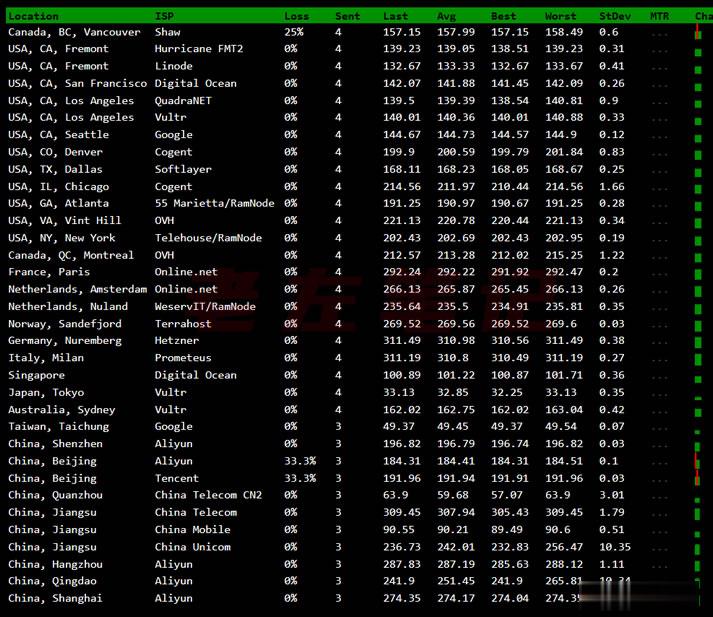
Vultr VPS韩国首尔机房速度和综合性能参数测试
Vultr 商家有新增韩国首尔机房,这个是继日本、新加坡之后的第三个亚洲机房。不过可以大概率知道肯定不是直连中国机房的,因为早期的日本机房有过直连后来取消的。今天准备体验看看VULTR VPS主机商的韩国首尔机房的云服务器的速度和性能。1、全球节点PING速度测试这里先通过PING测试工具看看全球几十个节点的PING速度。看到好像移动速度还不错。2、路由去程测试测试看看VULTR韩国首尔机房的节点...
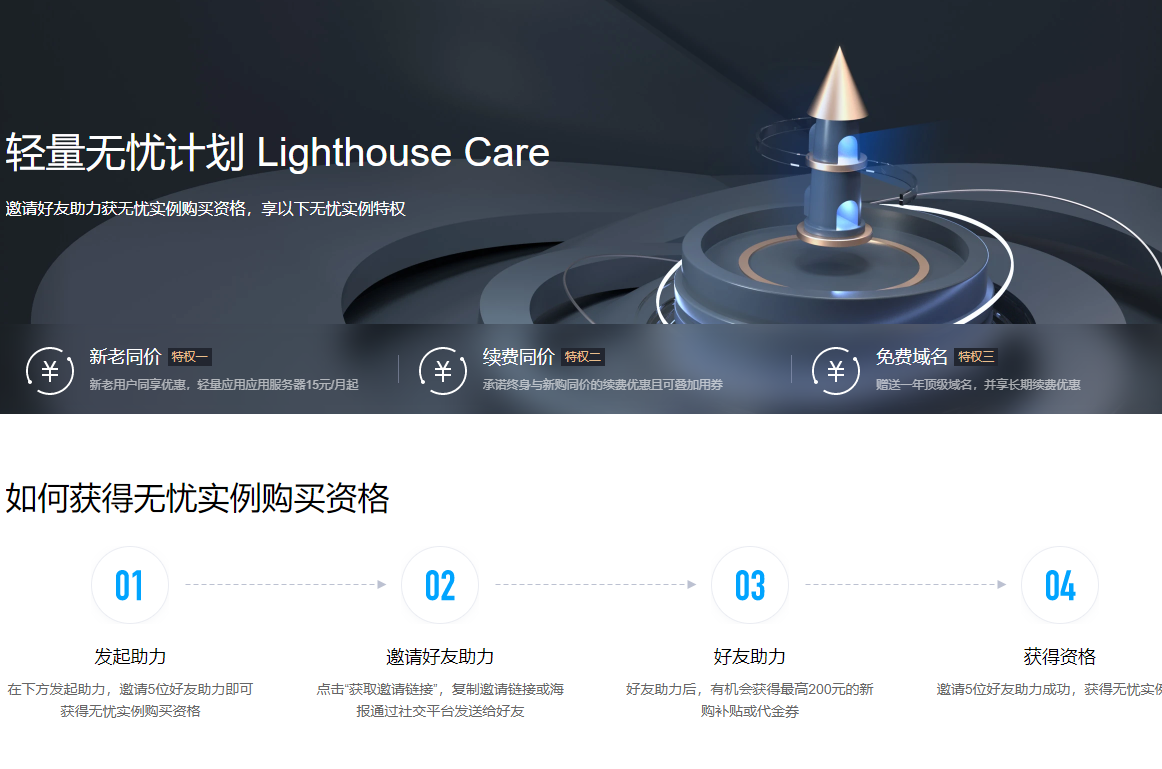
腾讯云轻量应用服务器关于多个实例套餐带宽
腾讯云轻量应用服务器又要免费升级配置了,之前已经免费升级过一次了(腾讯云轻量应用服务器套餐配置升级 轻量老用户专享免费升配!),这次在上次的基础上再次升级。也许这就是良心云吧,名不虚传。腾讯云怎么样?腾讯云好不好。腾讯云轻量应用服务器 Lighthouse 是一种易于使用和管理、适合承载轻量级业务负载的云服务器,能帮助个人和企业在云端快速构建网站、博客、电商、论坛等各类应用以及开发测试环境,并提供...
boot.wim为你推荐
-
平板ipad支持ipad支持ipad勒索病毒win7补丁我的电脑是windows7系统,为什么打不了针对勒索病毒的补丁(杀毒软件显win10445端口怎么样打开电脑10800端口tcpip上的netbiostcpip上的netbios是什么用的,有安全隐患吗?开启还是关上phpechophp echo函数 是什么意思canvas2七尾奈留除了DC canvas2 sola EF 快乐小兔幸运草 以外改编成动画的作品有哪些?iphonewifi苹果手机突然用不了Wi-Fi了重庆电信宽带测速重庆电信光纤宽带网络,内外网络和电脑等设备都没发生变化的情况下,办理了从20M提速到100M业务。