人力资源【人力资源】redhat搭建PHP运行环境LAMP资料
人力资源
REDHATENTERPRISE LINUX搭建PHP运行环境
搭建一个论坛 以discuz为模板 RedHat为系统阿帕奇为web服务器搭建P HP环境后台为MySQL数据库 即时下流行的“LAMP” 。
Discuz_7.2_FULL_SC_UTF8mysql-5.0.22-2.1httpd-2.2.3-6.el 5php-5.1.6-5.el5
1、 P HP的运行是在阿帕奇服务之上的首先要安装httpd服务
[root@localhost~]#clear
[root@localhost~]#rpm-qa|grep httpd
[root@localhost~]#mount/dev/cdrom/mnt/cdrom
[root@localhost~]#yum install -y httpd
重启http d服务测试阿帕奇服务器
阿帕奇测试页
2、安装P HP解释器
人力资源
人力资源
默认安装后再次查询会显示以下组件
[root@localhost~]#rpm-qa|grep phpphp-common-5.1.6-5.el5php-5.1.6-5.el5php-cli-5.1.6-5.el5
[root@localhost~]#
还需要一个rpm包来支持php与MySQL数据库
包名为php-mysql
编辑php配置文件
[root@localhost~]#vi/etc/httpd/conf.d/php.conf
增加拓展名为.php文件的处理关系
测试P HP环境
在Apache主目录/var/www/html中建立一个名为test.php文件文件内容如下
<? phpinfo(); ?>
人力资源
人力资源
重启http d服务测试
3、安装MySQL数据库为安装起见并修改数据库密码为123
[root@localhost~]#yum install–y mysql*
[root@localhost~]#rpm–qa|grep mysql
启动MySQL数据库
[root@localhost~]#service mysqld start
初始化MySQL数据库 Installing all prepared tables
Fill help tables
To start mysqld at boot time you have to copy support-files/mysql.serverto the right place for your system
人力资源
人力资源
PLEASE REMEMBERTO SET A PASSWORD FORTHE MySQL rootUSER!To do so,start the server,then issue the following commands:
/usr/bin/mysqladmin-u root password'new-password'
/usr/bin/mysqladmin-u root-h localhost.localdomain password'new-password'See the manual for more instructions.
You can start the MySQL daemon with:cd/usr;/usr/bin/mysqld_safe&
You can test the MySQL daemon with the benchmarks in the'sql-bench'directory:cd sql-bench;perl run-all-tests
Please report any problems with the/usr/bin/mysqlbug script!
The latest information about MySQL is available on the web athttp://www.mysql.com
Support MySQL by buying support/licenses at http://shop.mysql.com
[确定]启动MySQL [确定]修改密码
[root@localhost~]#mysqladmin-u root password 123
登陆数据库
查看数据库
4、搭建samba服务将discuz安装程序目录upload放到/var/www/html/下人力资源
人力资源
如果samba配置没错误但是仍然无法将安装文件复制到linux中请将selinux设置为允许 同时在iptables中放行相关端口
修改upload目录中相关目录权限
以下这些目录及文件需要可读写权限
./config.inc.php
./templates
./attac hments
./fo rumdata
./forumdata/cache
./forumdata/template s
./forumdata/threadcaches
./fo rumdata/logs
./uc_client/data/cache/
5、开始安装
在浏览器中输入 http://192.168.2.2/upload/install/
根据提示进行安装
人力资源
人力资源
环境以及文件目录权限检查人力资源
人力资源
填写数据库信息
数据库用户名:默认为username修改为root
数据库密码:123
Admin密码在此设置为admin
其他根据情况填写直至安装完成后跳转到论坛首页人力资源
人力资源
我们再来看一下MySQL数据库
[root@localhost install]#mysql -u root-p
Enter password:
Welcome to the MySQL monitor. Commands end with;or\g.Your MySQLconnection id is 52 to serverversion: 5.0.22
Type'help; 'or'\h' for help.Type'\c'to clear the buffer.mysql>show databases;
+--------------------+
|D atabase |
+--------------------+
| information_schema|
|discuz |
|mysql |
| test |
+--------------------+
4 rows in set(0.00 sec)mysql>use discuz
Reading table information for completion of table and column namesYou can turn off this feature to get a quicker startup with-ADatabase changedmysql>show tables;
人力资源
人力资源
+-------------------------+
|Tables_in_discuz |+-------------------------+
| cdb_access || cdb_activities || cdb_activityapplies || cdb_addons || cdb_adminactions || cdb_admincustom || cdb_admingroups || cdb_adminnotes || cdb_adminsessions || c db_advertisements || cdb_announcements || c db_attachmentfiel ds || c db_attachments || c db_attac hpaymentl o g || c db_attachtypes || cdb_banned || cdb_bbcodes || cdb_caches || cdb_creditslog || cdb_crons || cdb_debateposts || cdb_debates || cdb_failedlogins || c db_faqs || cdb_favoriteforums || cdb_favorites || c db_favoritethreads || cdb_feeds || cdb_forumfields || cdb_forumlinks || cdb_forumrecommend || cdb_forums || cdb_imagetypes || cdb_invites || cdb_itempool || cdb_magiclog || cdb_magicmarket || cdb_magics || cdb_medallog |人力资源
- 人力资源【人力资源】redhat搭建PHP运行环境LAMP资料相关文档
- 动态基于ARM11的PHP动态扩展库环境的搭建.
- 如图IIS搭建PHP环境资料
- 搭建apache php-4.4.8 sqlite json开发环境搭建
- 安装Windows7搭建php开发环境及配置phpcms
- 安装使用phpstudy搭建php环境实战各种php程序资料
- 安装php开发环境的搭建和使用
Megalayer促销:美国圣何塞CN2线路VPS月付48元起/香港VPS月付59元起/香港E3独服月付499元起
Megalayer是新晋崛起的国外服务器商,成立于2019年,一直都处于稳定发展的状态,机房目前有美国机房,香港机房,菲律宾机房。其中圣何塞包括CN2或者国际线路,Megalayer商家提供了一些VPS特价套餐,譬如15M带宽CN2线路主机最低每月48元起,基于KVM架构,支持windows或者Linux操作系统。。Megalayer技术团队行业经验丰富,分别来自于蓝汛、IBM等知名企业。Mega...

企鹅小屋:垃圾服务商有跑路风险,站长注意转移备份数据!
企鹅小屋:垃圾服务商有跑路风险!企鹅不允许你二次工单的,二次提交工单直接关服务器,再严重就封号,意思是你提交工单要小心,别因为提交工单被干了账号!前段时间,就有站长说企鹅小屋要跑路了,站长不太相信,本站平台已经为企鹅小屋推荐了几千元的业绩,CPS返利达182.67CNY。然后,站长通过企鹅小屋后台申请提现,提现申请至今已经有20几天,企鹅小屋也没有转账。然后,搞笑的一幕出现了:平台账号登录不上提示...
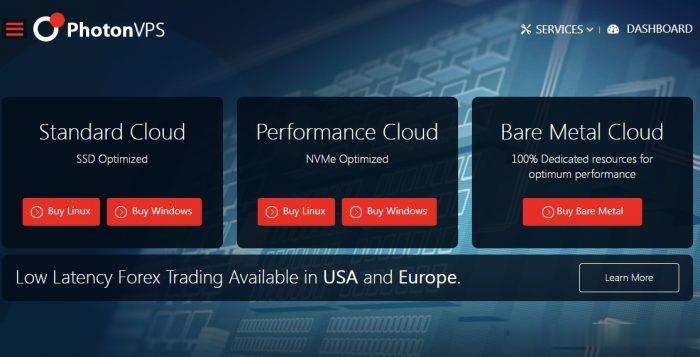
PhotonVPS:美国Linux VPS半价促销2.5美元/月起,可选美国洛杉矶/达拉斯/芝加哥/阿什本等四机房
photonvps怎么样?photonvps现在针对旗下美国vps推出半价促销优惠活动,2.5美元/月起,免费10Gbps DDoS防御,Linux系统,机房可选美国洛杉矶、达拉斯、芝加哥、阿什本。以前觉得老牌商家PhotonVPS贵的朋友可以先入手一个月PhotonVPS美国Linux VPS试试了。PhotonVPS允许合法大人内容,支持支付宝、paypal和信用卡,30天退款保证。Photo...
-
快递打印快递单上是怎么打印上去的,我每次都是手写的yy频道中心yy语音怎么进频道中心今日热点怎么删除千牛里面的今日热点怎么取消_?如何建立一个网站如何建立一个网站创维云电视功能创维云电视是指什么安装迅雷看看播放器迅雷看看不能播放,说我尚未安装迅雷看看播放器网络广告投放网络广告投放有哪些技巧?gbk编码表GBK码表怎么查微信电话本怎么用如何启用微信通讯录声母是什么什么是声母