letmeinletmein
letmein 时间:2021-01-15 阅读:()
LetMeIn:Self-ServicePasswordManagementLetMeIn:Self-ServicePasswordManagementContentsIntroduction1GettingStarted–EnrollingYourAccount.
1UseCaseScenarios.
5SetPassword–Iknowmypasswordbutwant/needtochangeit.
5SelfService–Ican'tgetmypasswordtowork.
7LetMeIn:Self-ServicePasswordManagement1IntroductionIndianaTech'snewpasswordmanagementsystem,https://LetMeIn.
IndianaTech.
edu,providesaconvenientmeansforIndianaTechstudents,faculty,andstafftounlocktheirnetworkaccountorresettheirpassword/passphrase.
Thisprovidestheabilitytomanageyourownaccountforaccesstomanyofthetechnicalresourcesprovidedthroughtheuniversity.
BeforeyoucanbeginusingLetMeIn,youmustfirstlogin(usingyourcurrentIndianaTechcredentials)andprovideacellphonenumberandanalternativeemailaddress.
PortalGuardwillsendyoutemporaryone-timepasswordstoyourcellphoneand/oralternativeemailaddressintheeventyoueverforgetyourpasswordandneedtoresetit.
Theinstructionsbelowshowyouwhatyouneedtodo:GettingStarted–EnrollingYourAccount1)YoucanaccessLetMeInfromthefollowinglocation:a)http://letmein.
indianatech.
edu2)EnteryourcurrentIndianaTechusername/passwordandclick.
a)Faculty/Staff:Onlyenteryourusernameandnotthe@indianatech.
edub)Students:Enteryourusernameasusername@indianatech.
netLetMeIn:Self-ServicePasswordManagement23)Whenlogginginthefirsttime,awindowwillrequestthatyouenteryourpasswordagaintoenrollyourchallengeanswers.
Pleaseenteryourpasswordandclick.
4)Youwillbepresentedwithapagewhereyouwillneedtoanswer5questionsoutof15thatareavailableforselection.
Pleaseprovideanswerstowhicheverquestionsyouwish.
Youwillchoosethequestiontoanswerbyclickingonthedrop-downbuttonwiththeavailablequestions.
Onceyouhavechosenandanswered5questions,click.
5)Afterclickingcontinue,youwillbepresentedwitha'Success'screenandalinktocontinuetheloginprocess.
Pleaseclickonthelinktocontinue.
LetMeIn:Self-ServicePasswordManagement36)Next,awindowwillrequestthatyouenteryourpasswordagaininadditiontoyourmobilephonenumber.
Pleaseenteryourpasswordandyourmobilephonenumberandclick.
Pleasenotethattheremayalsobeaquestionaboutyourcarrierifthenumberisnotrecognized.
7)Afterclicking,aone-timetemporarypasswordwillbesenttothecellphonenumberprovided.
Uponreceiptofthetemporarypassword,enteritandclick.
Pleasebecarefulreadingandenteringthetemporarypassword.
Itiscase-sensitiveandcouldcontainlettersandnumbers.
8)Afterclickingcontinue,youwillbepresentedwitha'Success'screenandalinktocontinuetheloginprocess.
Pleaseclickonthelinktocontinue.
4.
Aftersuccessfullyregisteringyourquestionsandcellphone,youwillseetheLetMeInhomepage.
Youcanloginatanytimeandupdatethisinformationasneeded.
Noticethatthethereareseveralsectionswithinformation.
LetMeIn:Self-ServicePasswordManagement411.
Ifyouhavefinishedupdatingyourinformation,clickthe"LogOut"linkinthetopright.
LetMeIn:Self-ServicePasswordManagement5UseCaseScenariosSetPassword–Iknowmypasswordbutwant/needtochangeit.
IfyouknowyourIndianaTechpasswordbutyouwouldliketochangeit.
Sinceyouhaveregisteredyourcellphoneandquestions,LetMeIncanhelpyouresetyourpassword.
1.
Fromanybrowser,typethefollowingURL:http://letmein.
indianatech.
edu2.
Provideyourusernameandclick.
3.
Provideyourcurrentpasswordandclick.
LetMeIn:Self-ServicePasswordManagement64.
Enteryourdesirednewpasswordandconfirmit.
Click.
Intheeventthatyournewpasswordisnotstrongenough,youwillreceiveamessagesimilartothefollowing.
Pleaseensureyourpasswordmeetsthecriterialisted.
5.
Onceyourpasswordisaccepted,youwillreceiveaconfirmationmessage.
Withthisconfirmation,youshouldnowbeabletologintoIndianaTechnetworkandwebbasedservicesusingyournewpassword.
LetMeIn:Self-ServicePasswordManagement7SelfService–Ican'tgetmypasswordtowork.
TherearetimeswhenyoucannotrememberyourIndianaTechpasswordandneedtoresetitORyouarereceivingmessagesthatyouraccounthasbeenlocked.
Sinceyouhaveregisteredyourcellphoneandquestions,LetMeIncanhelpyouresetyourpassword.
1.
Fromanybrowser,typethefollowingURL:http://letmein.
indianatech.
edu2.
Provideyourusernameandclick.
3.
Ifyouareprettysureyourememberyourpassword,butyouraccounthasbecomelocked(possiblybecauseofunsuccessfulloginattempts),youmayselect"UnlockAccount".
However,ifitismorelikelyyoucannotrememberyourpassword,select"ResetForgottenPassword"andclick.
Forthisexample,we'llchoose"UnlockAccount".
Pleasenotethatif"ResetForgottenPasswordischosen,youwillberequiredtochangeyourpasswordonceyouareauthenticated.
LetMeIn:Self-ServicePasswordManagement84.
Youmayhaveaone-timetemporarypasswordsenttoyourcellphoneoryoumayanswerseveralofyourchallengequestions.
Forthisexample,we'llchoosetheone-timepasswordandhaveitsentasatxttoourcellphone.
Makesure"MobilePhoneNumber"isselectedandclick.
5.
Onceyoureceiveyourone-timetemporarypassword,enteritandclick.
6.
Aconfirmationscreenwillbedisplayedlettingyouknowthatyouraccountwasunlockedsuccessfully.
LetMeIn:Self-ServicePasswordManagement97.
Ifyouchosetoresetyourpasswordtowardthebeginningofthisprocess,yourwillbeaskedtoenteryournewpasswordtwiceandclick8.
Aconfirmationscreenwillletyouknowifthepasswordchangehasbeensuccessful.
1UseCaseScenarios.
5SetPassword–Iknowmypasswordbutwant/needtochangeit.
5SelfService–Ican'tgetmypasswordtowork.
7LetMeIn:Self-ServicePasswordManagement1IntroductionIndianaTech'snewpasswordmanagementsystem,https://LetMeIn.
IndianaTech.
edu,providesaconvenientmeansforIndianaTechstudents,faculty,andstafftounlocktheirnetworkaccountorresettheirpassword/passphrase.
Thisprovidestheabilitytomanageyourownaccountforaccesstomanyofthetechnicalresourcesprovidedthroughtheuniversity.
BeforeyoucanbeginusingLetMeIn,youmustfirstlogin(usingyourcurrentIndianaTechcredentials)andprovideacellphonenumberandanalternativeemailaddress.
PortalGuardwillsendyoutemporaryone-timepasswordstoyourcellphoneand/oralternativeemailaddressintheeventyoueverforgetyourpasswordandneedtoresetit.
Theinstructionsbelowshowyouwhatyouneedtodo:GettingStarted–EnrollingYourAccount1)YoucanaccessLetMeInfromthefollowinglocation:a)http://letmein.
indianatech.
edu2)EnteryourcurrentIndianaTechusername/passwordandclick.
a)Faculty/Staff:Onlyenteryourusernameandnotthe@indianatech.
edub)Students:Enteryourusernameasusername@indianatech.
netLetMeIn:Self-ServicePasswordManagement23)Whenlogginginthefirsttime,awindowwillrequestthatyouenteryourpasswordagaintoenrollyourchallengeanswers.
Pleaseenteryourpasswordandclick.
4)Youwillbepresentedwithapagewhereyouwillneedtoanswer5questionsoutof15thatareavailableforselection.
Pleaseprovideanswerstowhicheverquestionsyouwish.
Youwillchoosethequestiontoanswerbyclickingonthedrop-downbuttonwiththeavailablequestions.
Onceyouhavechosenandanswered5questions,click.
5)Afterclickingcontinue,youwillbepresentedwitha'Success'screenandalinktocontinuetheloginprocess.
Pleaseclickonthelinktocontinue.
LetMeIn:Self-ServicePasswordManagement36)Next,awindowwillrequestthatyouenteryourpasswordagaininadditiontoyourmobilephonenumber.
Pleaseenteryourpasswordandyourmobilephonenumberandclick.
Pleasenotethattheremayalsobeaquestionaboutyourcarrierifthenumberisnotrecognized.
7)Afterclicking,aone-timetemporarypasswordwillbesenttothecellphonenumberprovided.
Uponreceiptofthetemporarypassword,enteritandclick.
Pleasebecarefulreadingandenteringthetemporarypassword.
Itiscase-sensitiveandcouldcontainlettersandnumbers.
8)Afterclickingcontinue,youwillbepresentedwitha'Success'screenandalinktocontinuetheloginprocess.
Pleaseclickonthelinktocontinue.
4.
Aftersuccessfullyregisteringyourquestionsandcellphone,youwillseetheLetMeInhomepage.
Youcanloginatanytimeandupdatethisinformationasneeded.
Noticethatthethereareseveralsectionswithinformation.
LetMeIn:Self-ServicePasswordManagement411.
Ifyouhavefinishedupdatingyourinformation,clickthe"LogOut"linkinthetopright.
LetMeIn:Self-ServicePasswordManagement5UseCaseScenariosSetPassword–Iknowmypasswordbutwant/needtochangeit.
IfyouknowyourIndianaTechpasswordbutyouwouldliketochangeit.
Sinceyouhaveregisteredyourcellphoneandquestions,LetMeIncanhelpyouresetyourpassword.
1.
Fromanybrowser,typethefollowingURL:http://letmein.
indianatech.
edu2.
Provideyourusernameandclick.
3.
Provideyourcurrentpasswordandclick.
LetMeIn:Self-ServicePasswordManagement64.
Enteryourdesirednewpasswordandconfirmit.
Click.
Intheeventthatyournewpasswordisnotstrongenough,youwillreceiveamessagesimilartothefollowing.
Pleaseensureyourpasswordmeetsthecriterialisted.
5.
Onceyourpasswordisaccepted,youwillreceiveaconfirmationmessage.
Withthisconfirmation,youshouldnowbeabletologintoIndianaTechnetworkandwebbasedservicesusingyournewpassword.
LetMeIn:Self-ServicePasswordManagement7SelfService–Ican'tgetmypasswordtowork.
TherearetimeswhenyoucannotrememberyourIndianaTechpasswordandneedtoresetitORyouarereceivingmessagesthatyouraccounthasbeenlocked.
Sinceyouhaveregisteredyourcellphoneandquestions,LetMeIncanhelpyouresetyourpassword.
1.
Fromanybrowser,typethefollowingURL:http://letmein.
indianatech.
edu2.
Provideyourusernameandclick.
3.
Ifyouareprettysureyourememberyourpassword,butyouraccounthasbecomelocked(possiblybecauseofunsuccessfulloginattempts),youmayselect"UnlockAccount".
However,ifitismorelikelyyoucannotrememberyourpassword,select"ResetForgottenPassword"andclick.
Forthisexample,we'llchoose"UnlockAccount".
Pleasenotethatif"ResetForgottenPasswordischosen,youwillberequiredtochangeyourpasswordonceyouareauthenticated.
LetMeIn:Self-ServicePasswordManagement84.
Youmayhaveaone-timetemporarypasswordsenttoyourcellphoneoryoumayanswerseveralofyourchallengequestions.
Forthisexample,we'llchoosetheone-timepasswordandhaveitsentasatxttoourcellphone.
Makesure"MobilePhoneNumber"isselectedandclick.
5.
Onceyoureceiveyourone-timetemporarypassword,enteritandclick.
6.
Aconfirmationscreenwillbedisplayedlettingyouknowthatyouraccountwasunlockedsuccessfully.
LetMeIn:Self-ServicePasswordManagement97.
Ifyouchosetoresetyourpasswordtowardthebeginningofthisprocess,yourwillbeaskedtoenteryournewpasswordtwiceandclick8.
Aconfirmationscreenwillletyouknowifthepasswordchangehasbeensuccessful.
- letmeinletmein相关文档
- MACletmein
- 证书letmein
- doubleletmein
- numberletmein
- 呼叫letmein
- 用户letmein
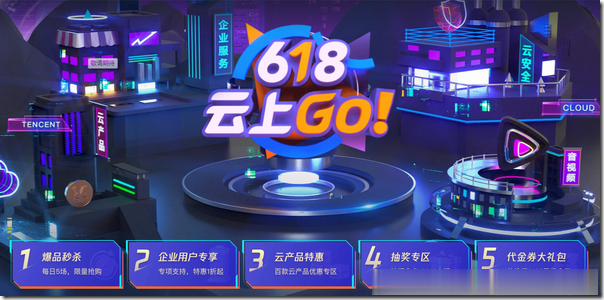
618云上Go:腾讯云秒杀云服务器95元/年起,1C2G5M三年仅288元起
进入6月,各大网络平台都开启了618促销,腾讯云目前也正在开展618云上Go活动,上海/北京/广州/成都/香港/新加坡/硅谷等多个地区云服务器及轻量服务器秒杀,最低年付95元起,参与活动的产品还包括短信包、CDN流量包、MySQL数据库、云存储(标准存储)、直播/点播流量包等等,本轮秒杀活动每天5场,一直持续到7月中旬,感兴趣的朋友可以关注本页。活动页面:https://cloud.tencent...
gcorelabs:CDN业务节点分布100多个国家地区,免费版提供1T/月流量
卢森堡商家gcorelabs是个全球数据中心集大成的运营者,不但提供超过32个数据中心的VPS、13个数据中心的cloud(云服务器)、超过44个数据中心的独立服务器,还提供超过100个数据中心节点的CDN业务。CDN的总带宽容量超过50Tbps,支持免费测试! Gcorelabs根据业务分,有2套后台,分别是: CDN、流媒体平台、DDoS高防业务、块存储、cloud云服务器、裸金属服务器...
CloudCone:$17.99/年KVM-1GB/50GB/1TB/洛杉矶MC机房
CloudCone在月初发了个邮件,表示上新了一个系列VPS主机,采用SSD缓存磁盘,支持下单购买额外的CPU、内存和硬盘资源,最低年付17.99美元起。CloudCone成立于2017年,提供VPS和独立服务器租用,深耕洛杉矶MC机房,最初提供按小时计费随时退回,给自己弄回一大堆中国不能访问的IP,现在已经取消了随时删除了,不过他的VPS主机价格不贵,支持购买额外IP,还支持购买高防IP。下面列...
letmein为你推荐
-
免费美国主机哪里有免费不限流量的国外主机网站服务器租用公司想建个网站,请问租服务器按年收费是多少钱查询ip怎么查询IP地址国外网站空间怎么样把网站空间放到国外去?天津虚拟主机天津APP开发的比较专业的公司有哪些?淘宝虚拟主机淘宝买万网虚拟主机怎么变别真假asp虚拟主机支持ASP MSSQL 的虚拟主机有哪些推荐新加坡虚拟主机新加坡虚拟主机无法访问,Godaddy回邮件说是域名的问题?长沙虚拟主机长沙哪里虚拟主机和主机托管比较关好!shopex虚拟主机我有一个PHP1G的虚拟主机,请问做什么站比较合适?